Don't just chat,explore, play, understand, wander, wonder, steep, dig in, learn.
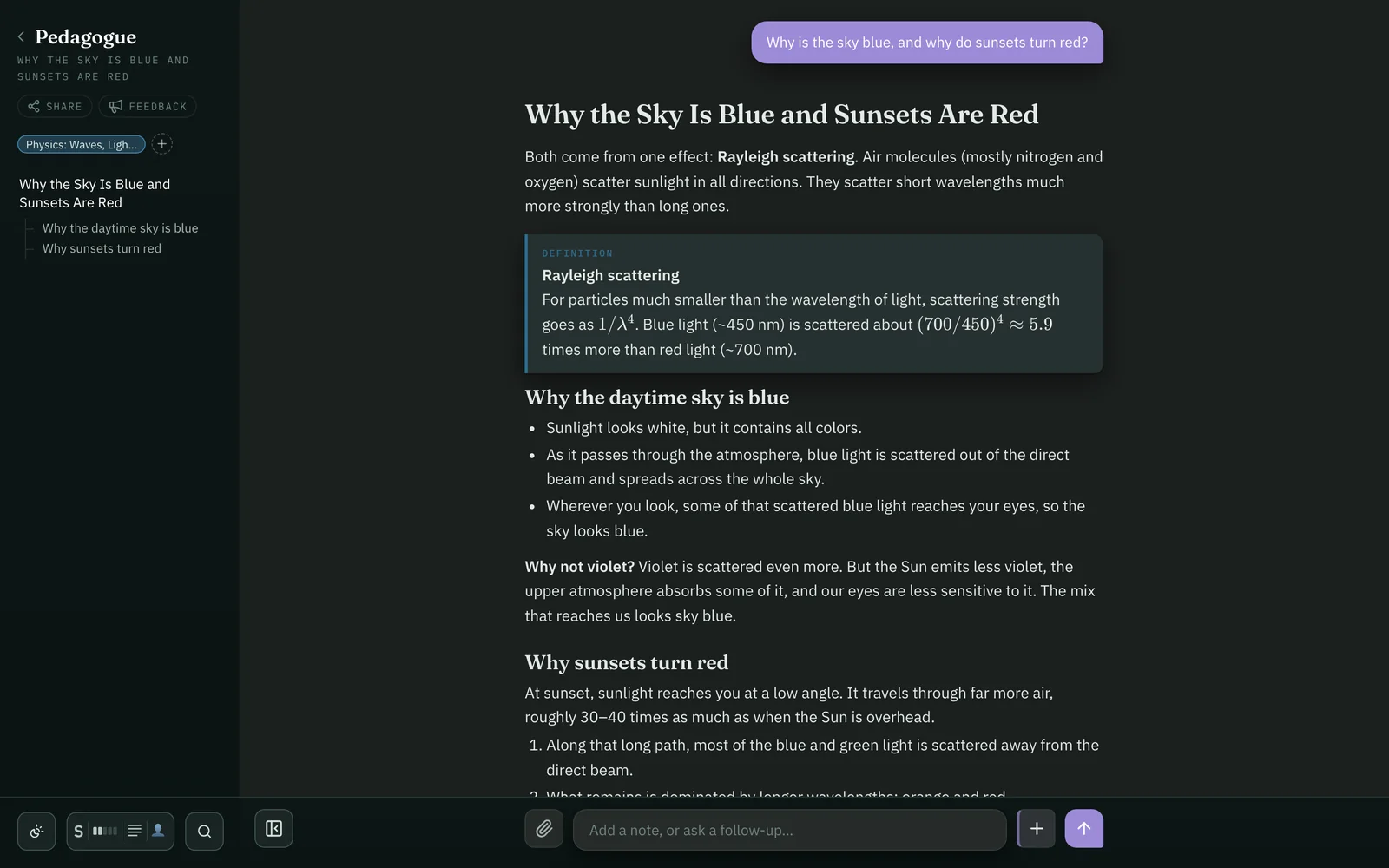
Pedagogue turns AI chat into a rich learning experience. Ask about anything and it builds you a journey: a story dotted with color, visuals, interactive figures you can play with, and sidebar conversations to follow your curiosity.
Coming soon for Mac. Private beta by invite.
One question in. A whole journeyjourneyjourney out.
Chat gives you a wall of text and a scroll bar. Pedagogue gives you a vibrant journey to explore and learn from.
Guided journeys
Built to be understood.
Every answer is shaped by one idea: people learn best from stories. Journeys start simple, keep you oriented, and layer on the detail as you go deeper.
Pedagogue
Ask anything.
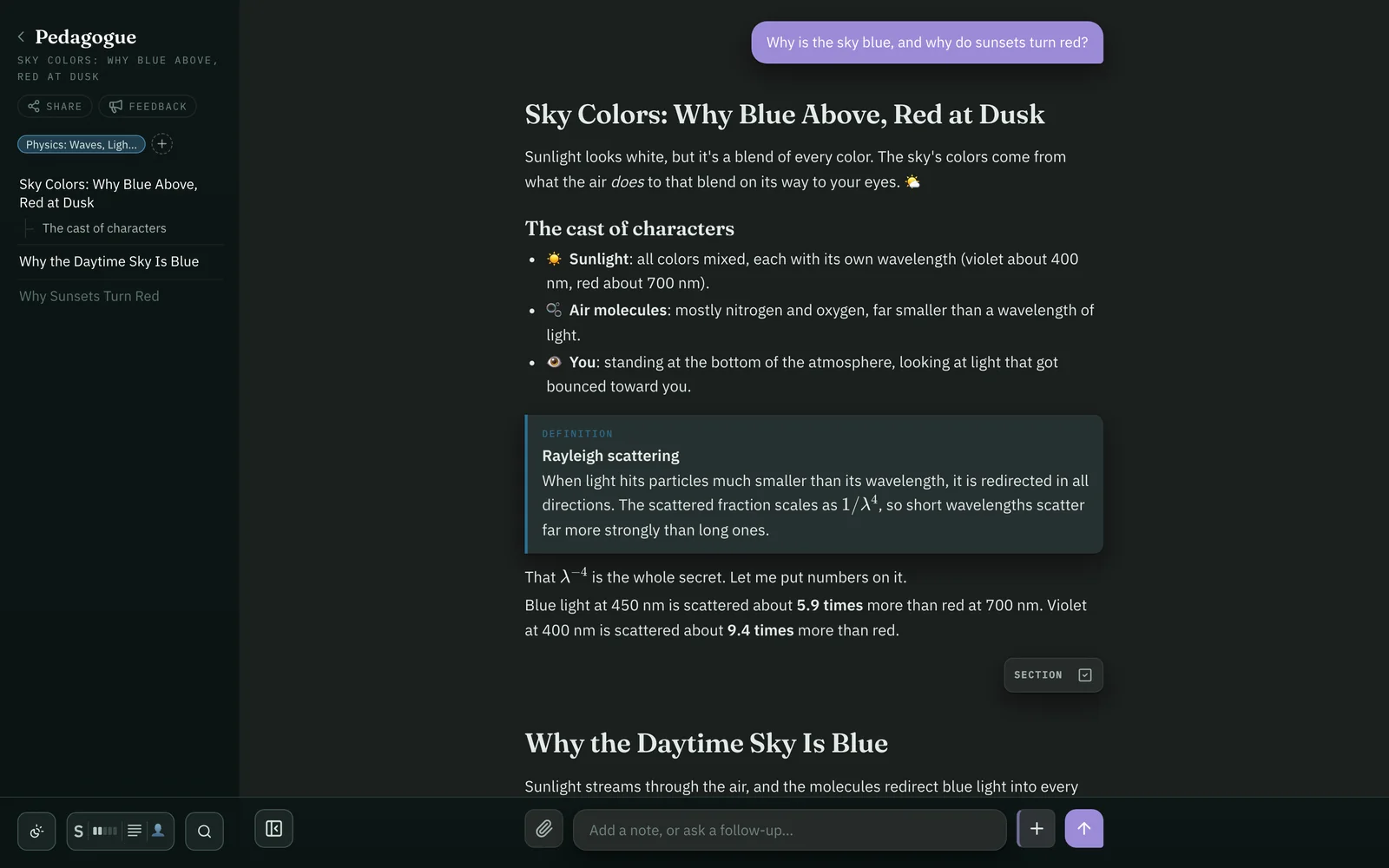
Type a question — any question. Pedagogue answers with a journey: a titled, ordered path through the idea, written for you.
Simplest first.
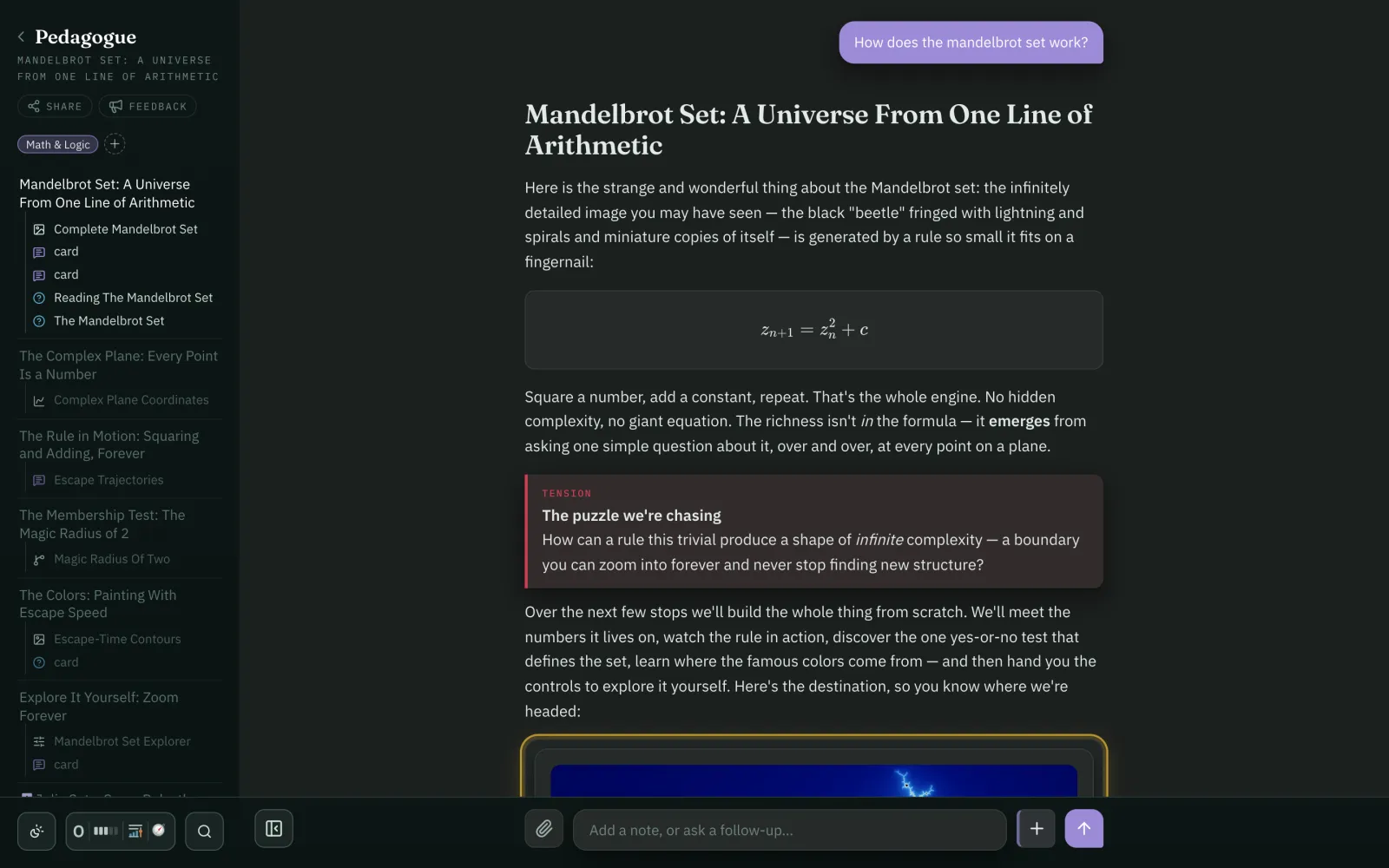
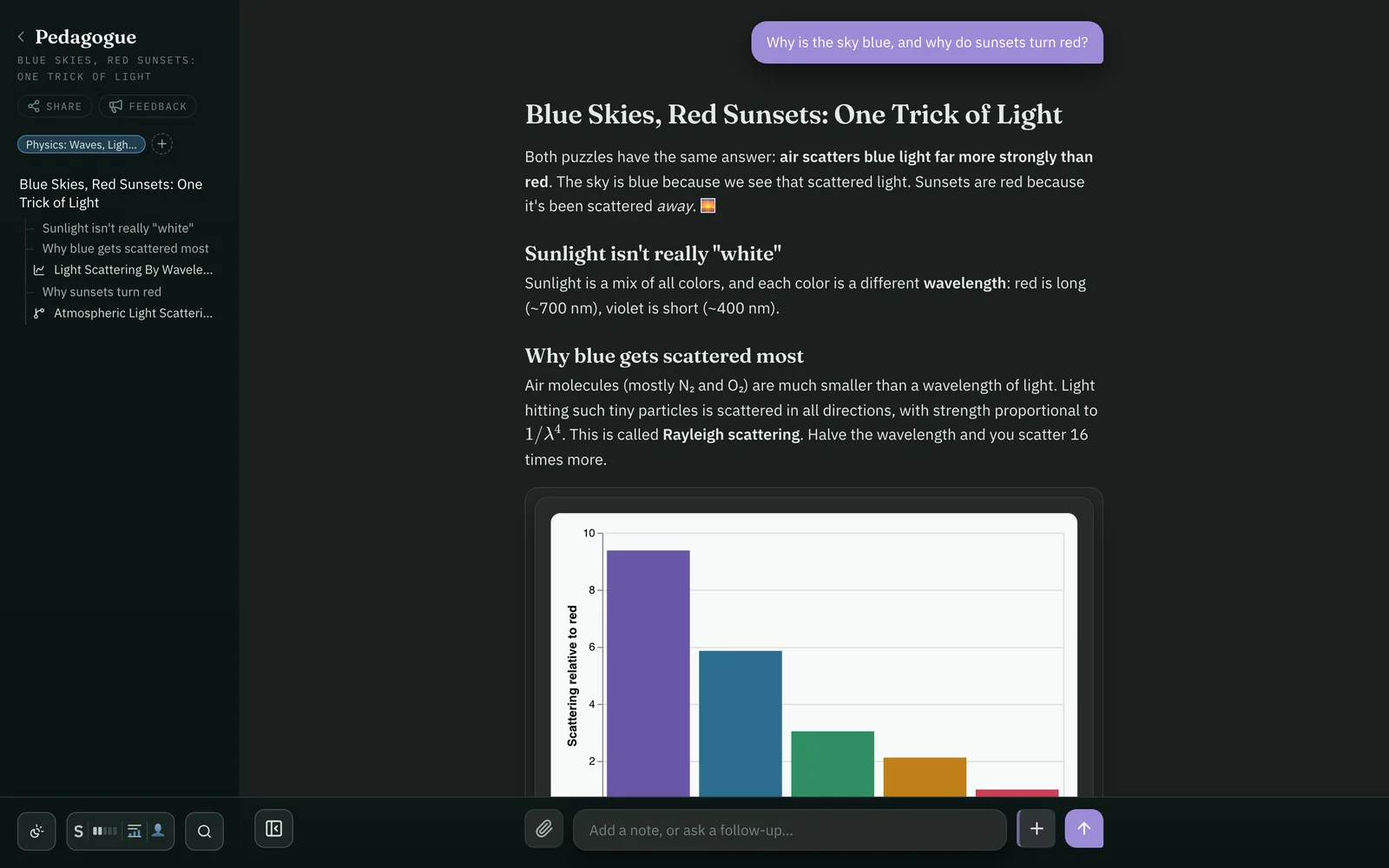
Each journey starts from the smallest true thing and the puzzle it leaves behind, then builds. Here one line of arithmetic, and a question: how can that draw something infinitely detailed?
Keep your bearings.
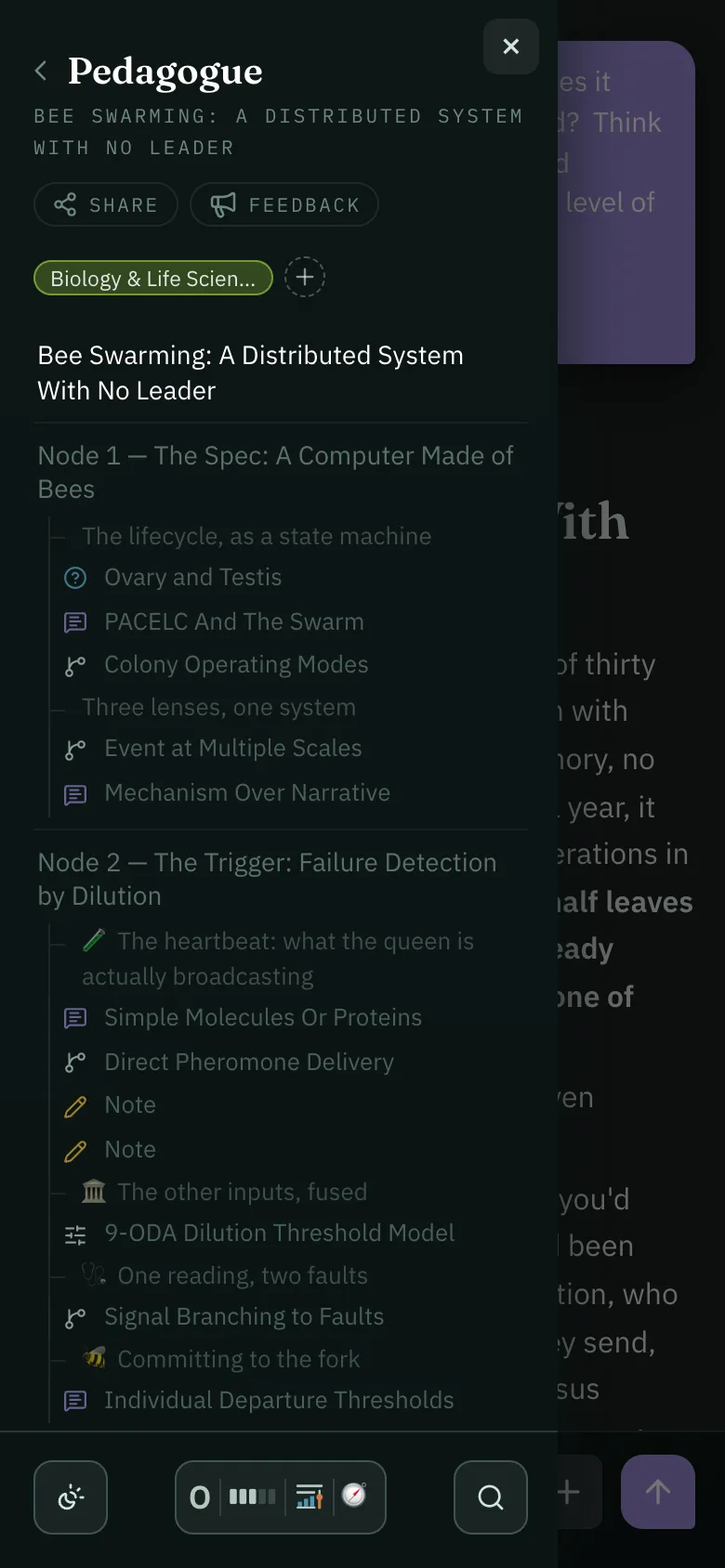
The map on the left shows every stop on the trail: where you've been, where you are now, and how far is left. Tap any waypoint to jump straight there.
Check yourself.
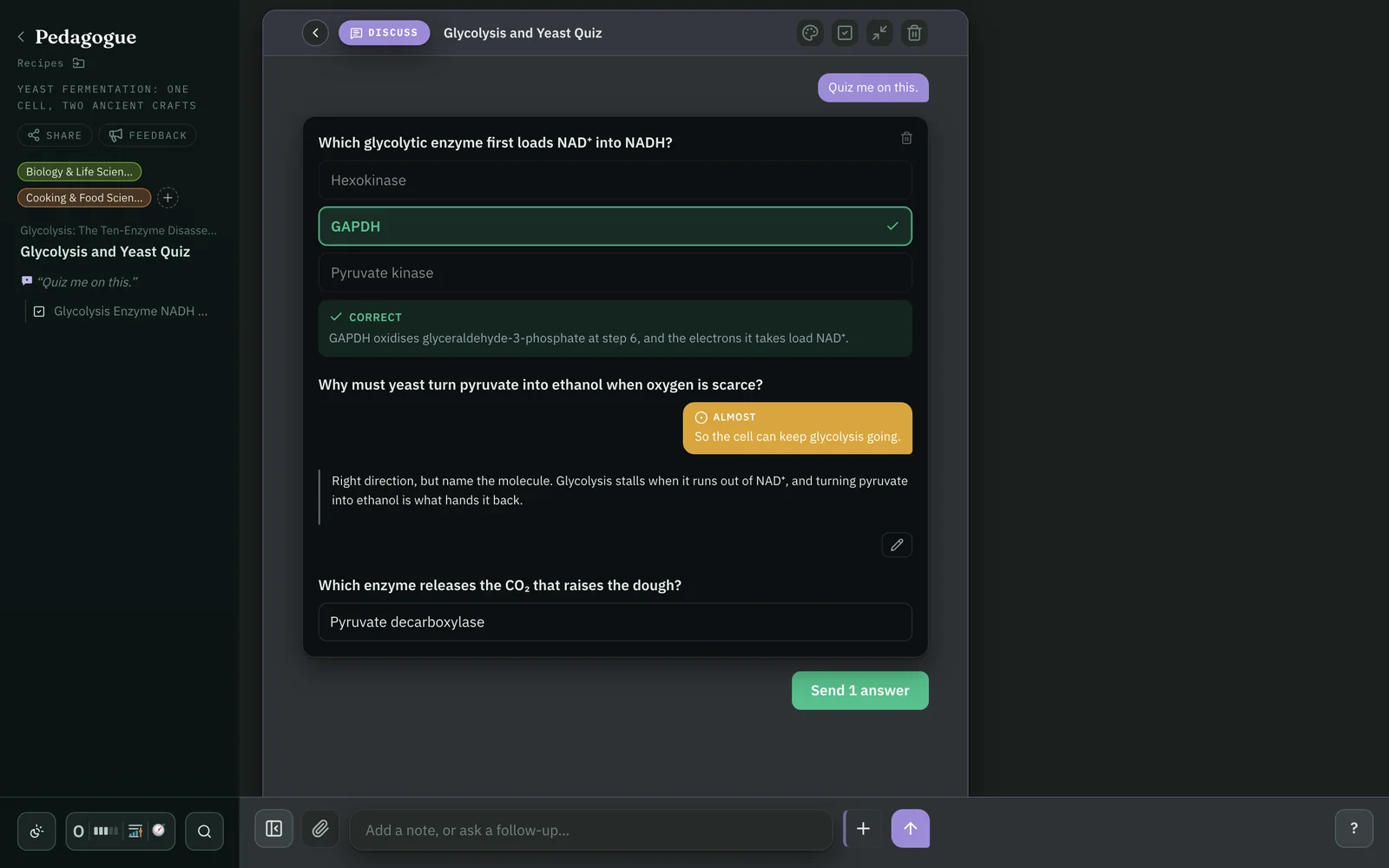
Mark a phrase, a heading, an equation, a figure or a card and ask to be quizzed on it with multiple choice and short answer questions graded by the teaching agent.
Don't just tell. Show.Show.Show.
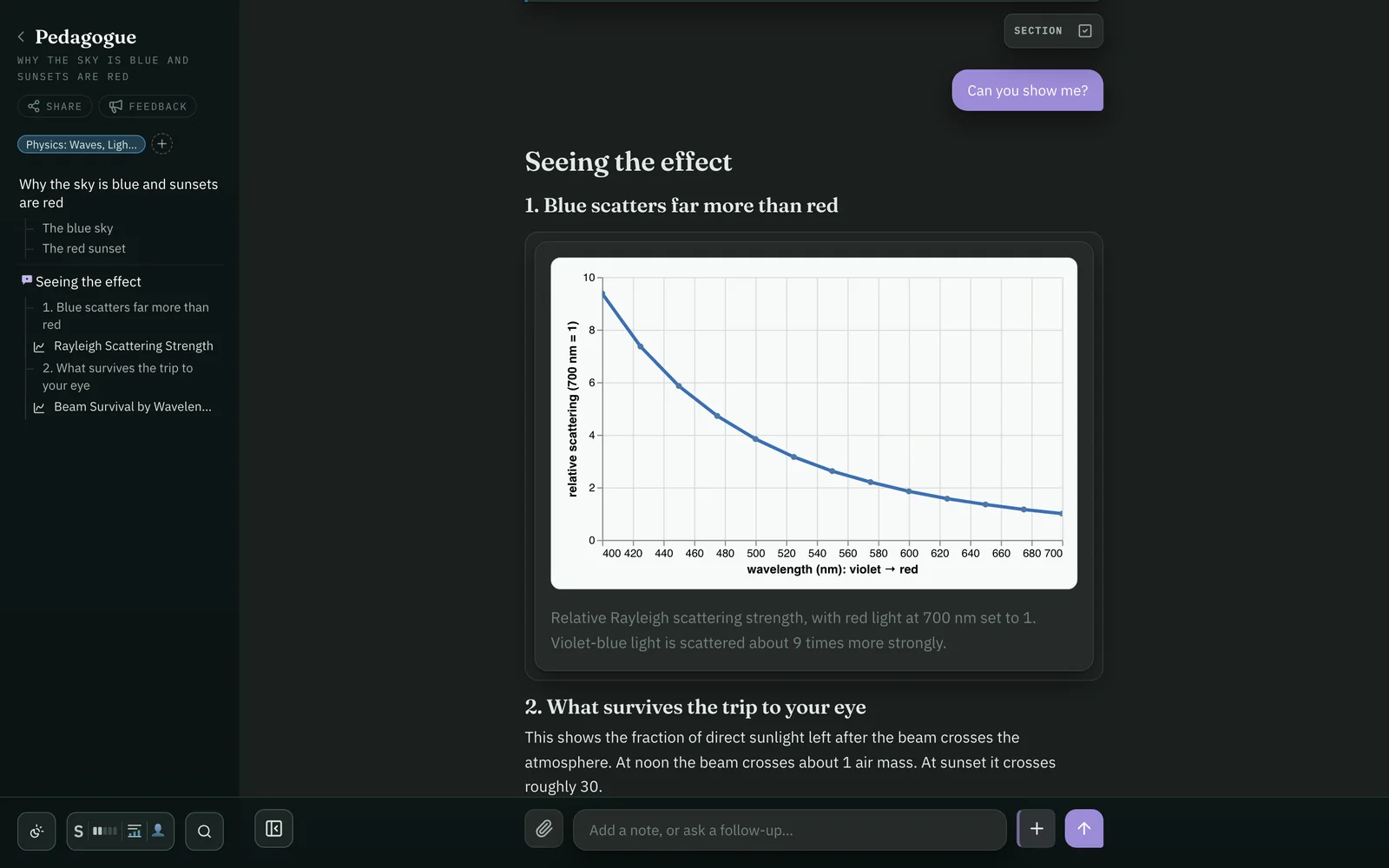
When a picture carries the idea better than a paragraph, Pedagogue draws it — and brings it to life.
Rich visuals
Figures crafted to teach.
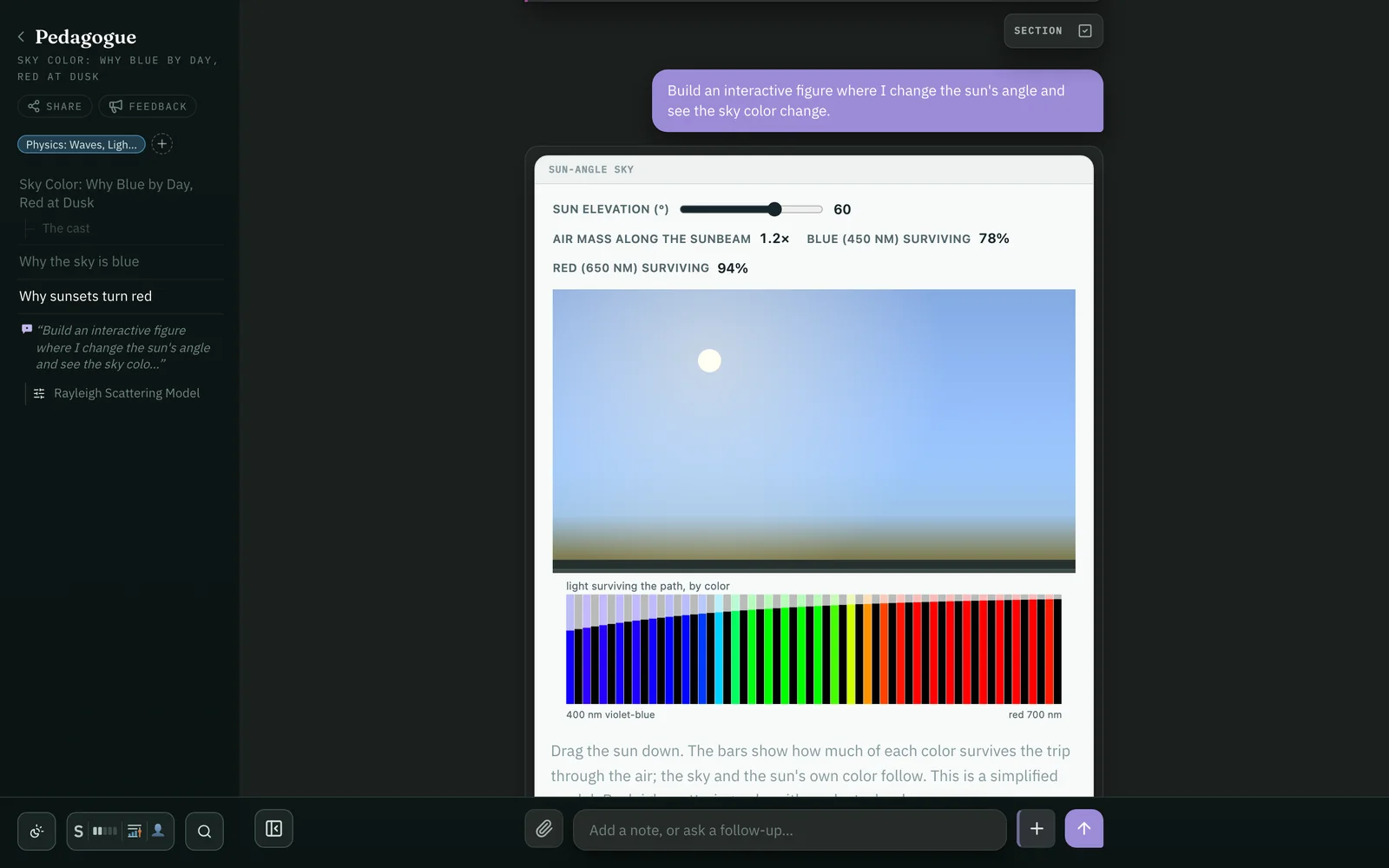
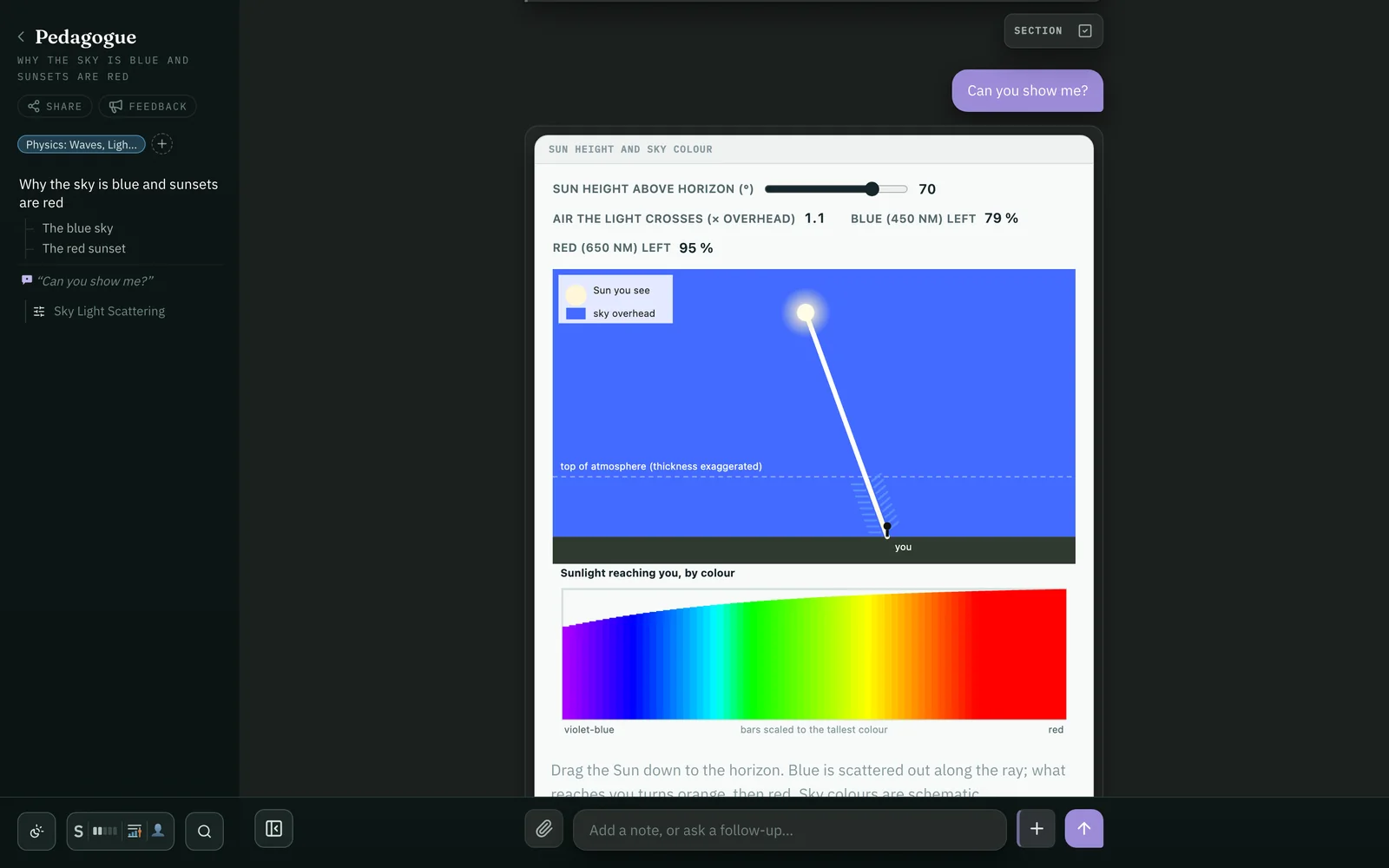
Equations, charts, diagrams, maps, 3D scenes and working interactive figures appear in context, connected to the surrounding text.
Pedagogue
A real lesson, mid-stride.
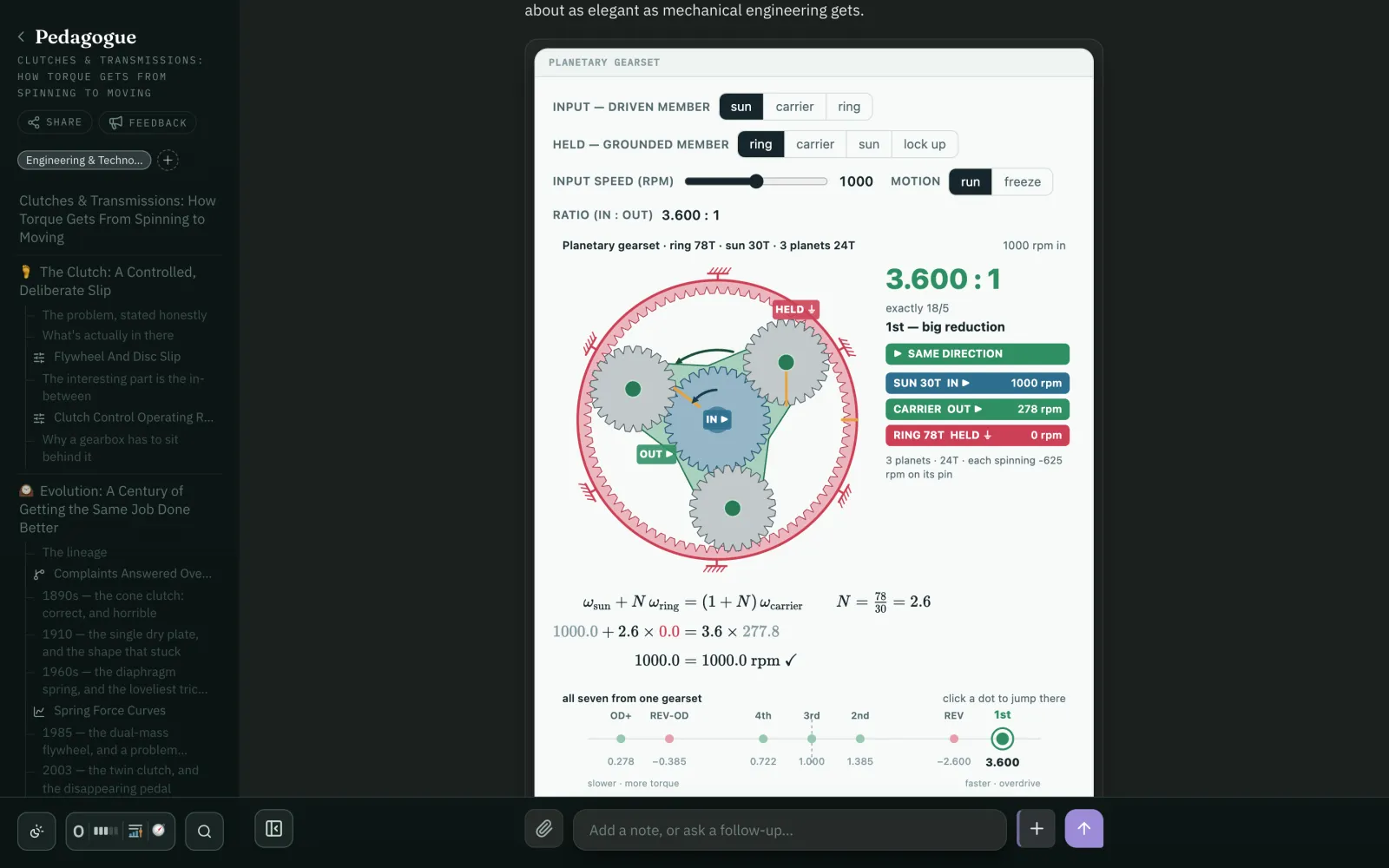
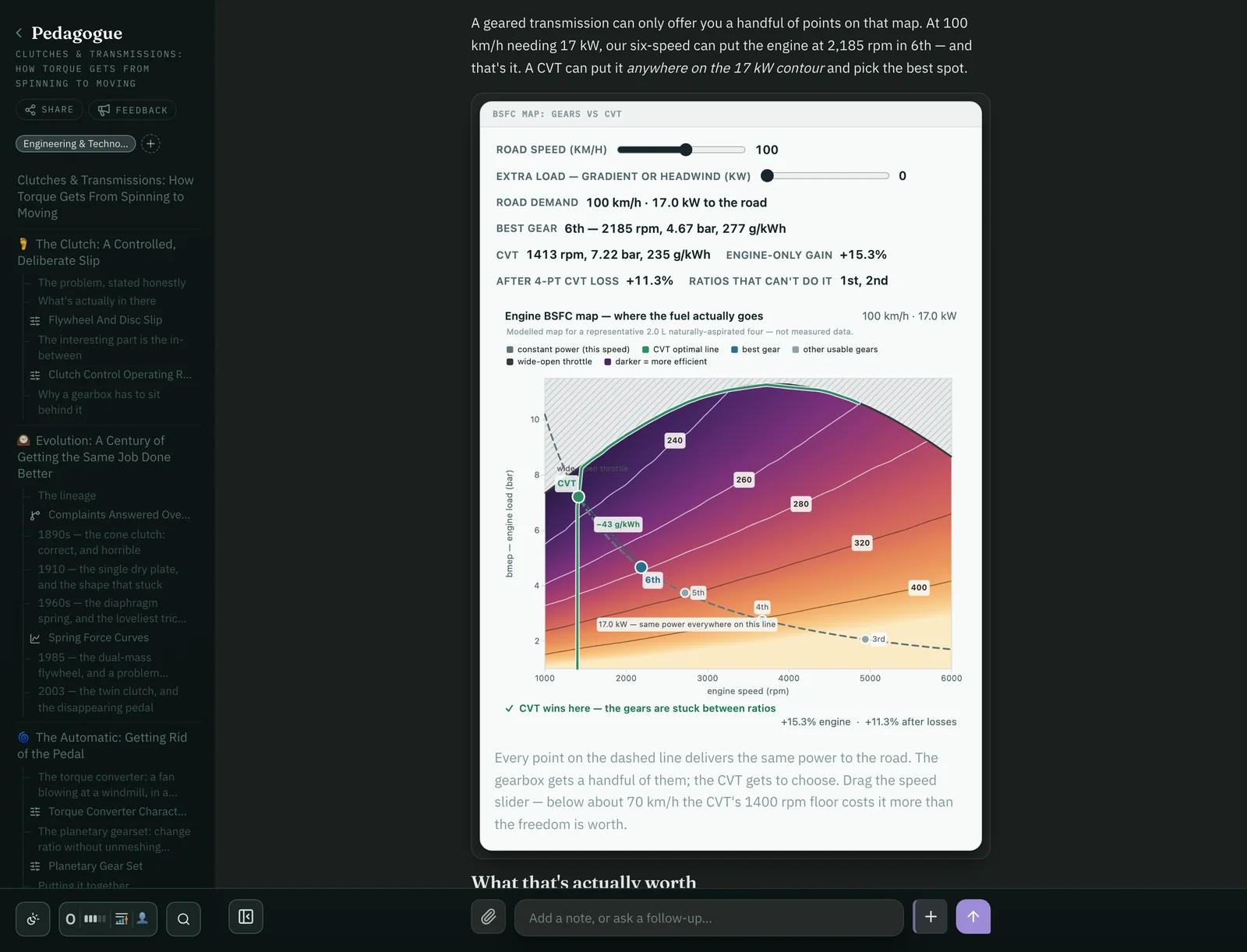
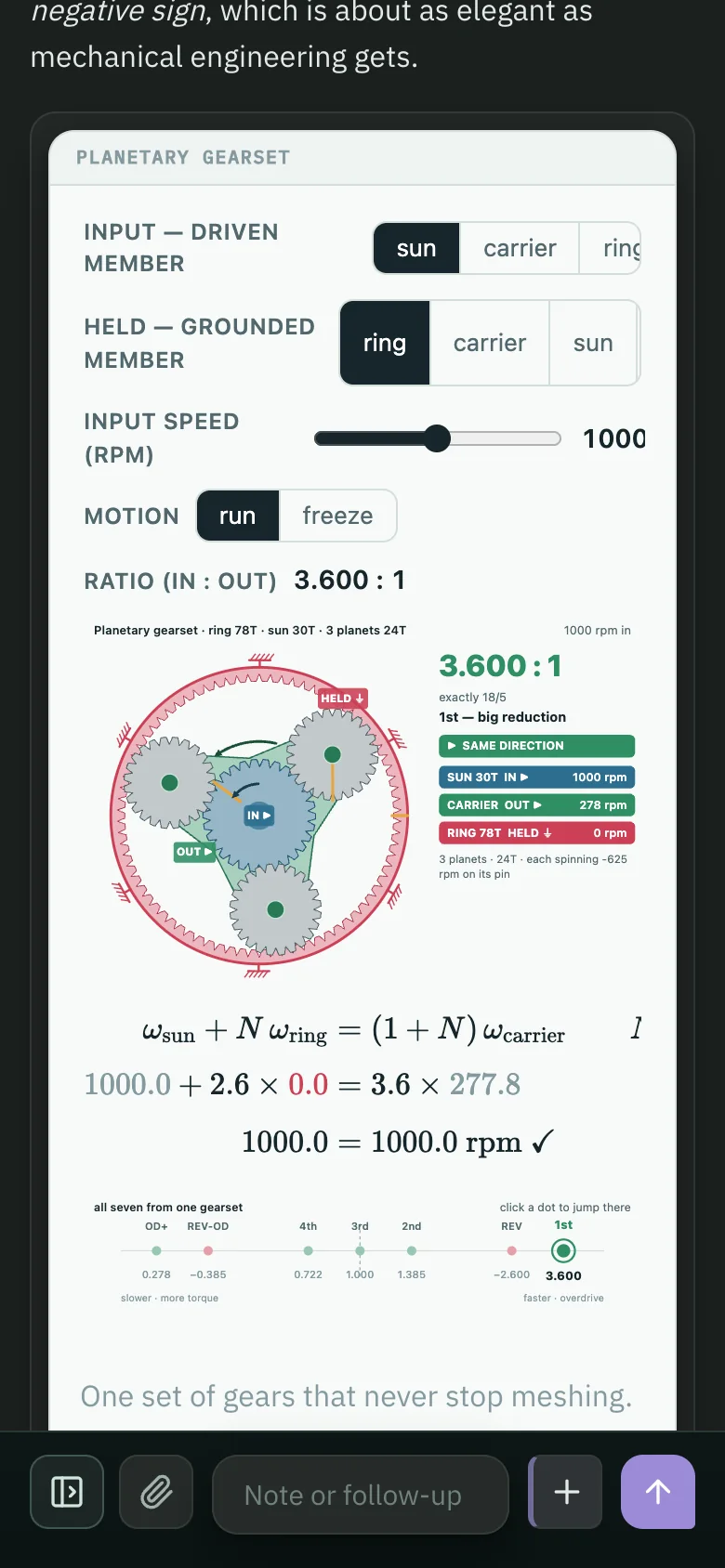
A journey on clutches and transmissions, reaching the question of why a CVT can beat six fixed gears on fuel.
Now pull the levers.
Why do spinning baseballs curve in flight? Explore how spin affects air flow.
Code, not clip art.
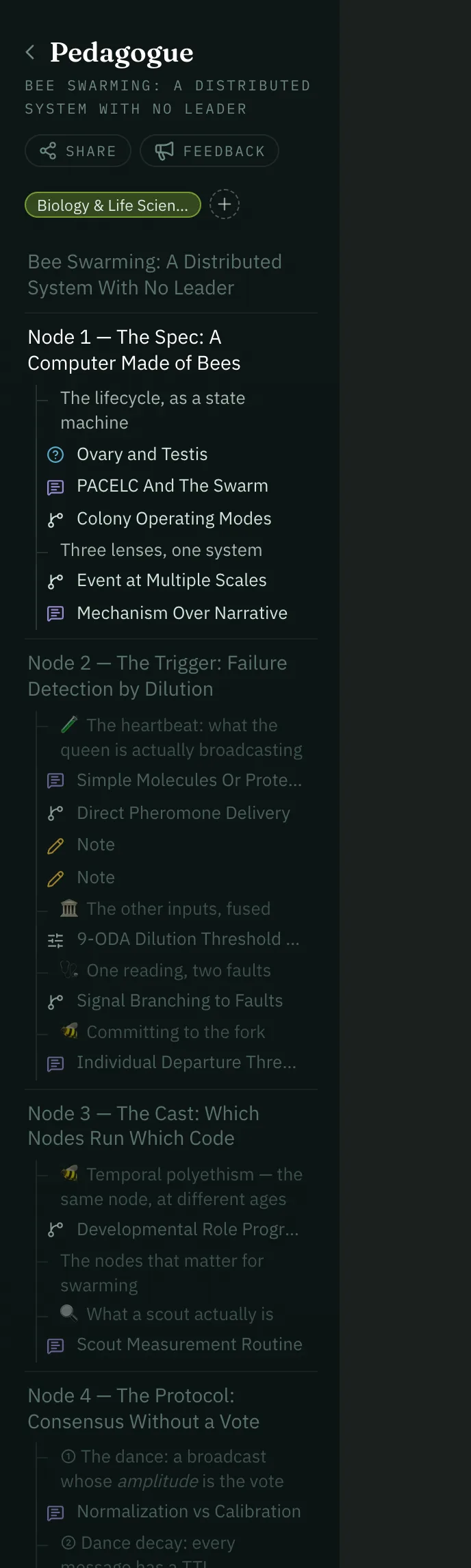
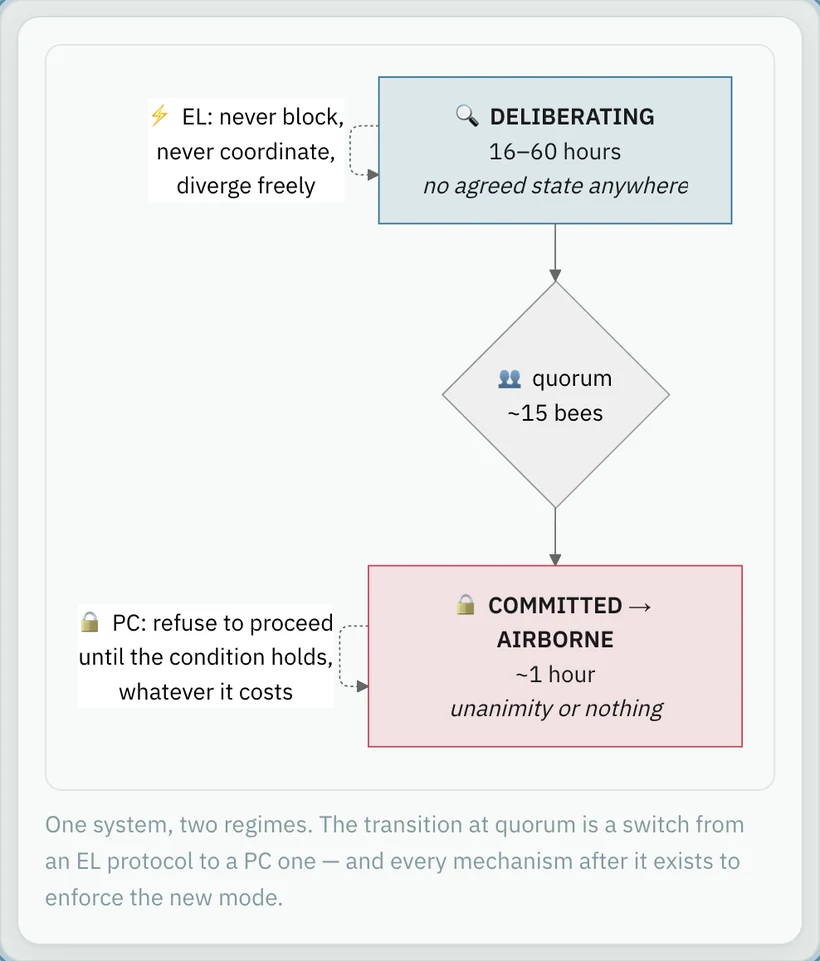
A lesson on swarming bees. With a parametrized simulation showing how a small number of informed bees can guide a colony to its new home.
Real data, when it matters.
A journey through Yugoslavia's fragmentation. Pedagogue fetches information instead of remembering it. And with Python, which Pedagogue can install for you, it can compute values to make sure it gets them right.
Every journey comes to life.
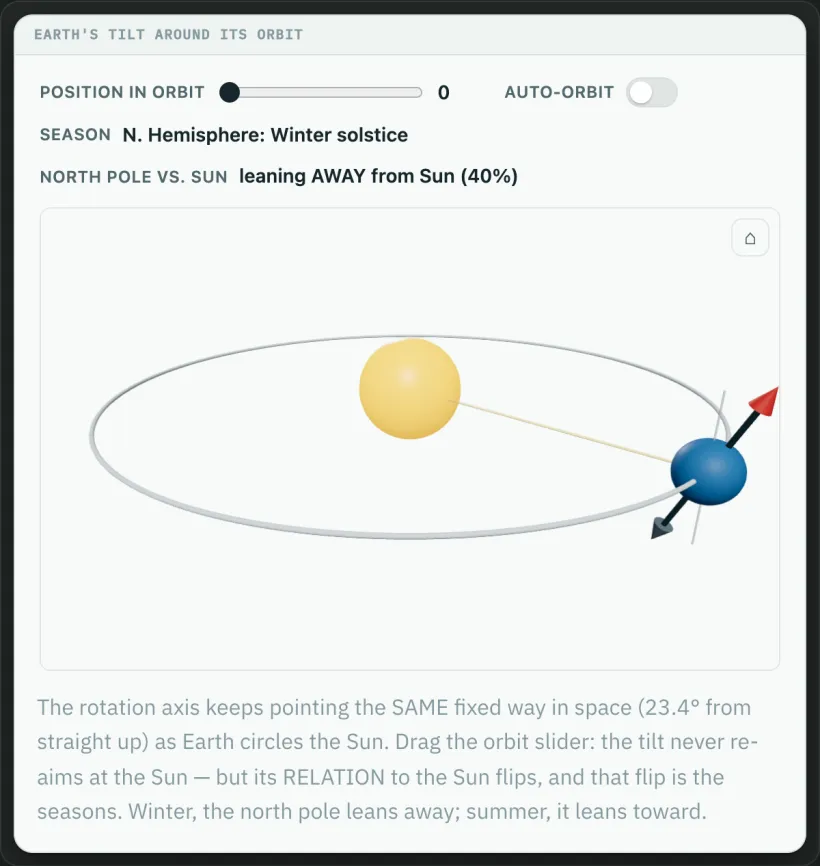
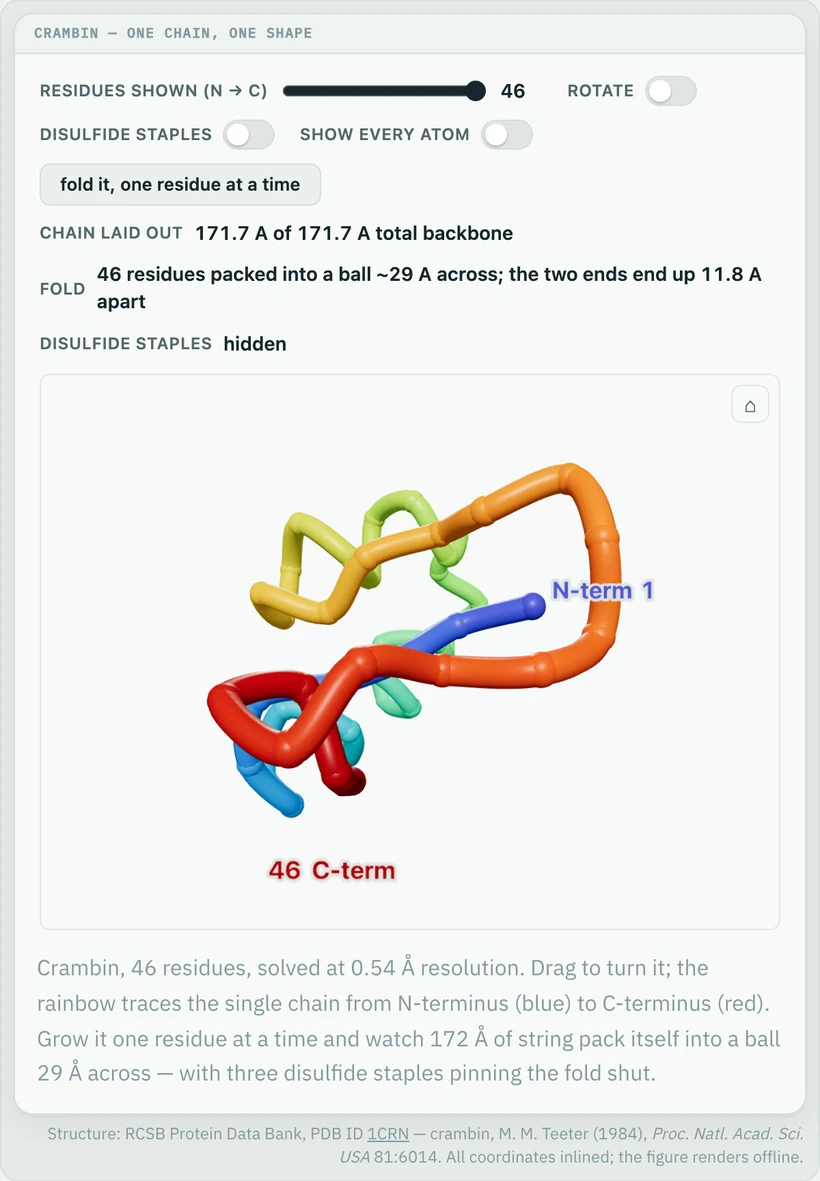
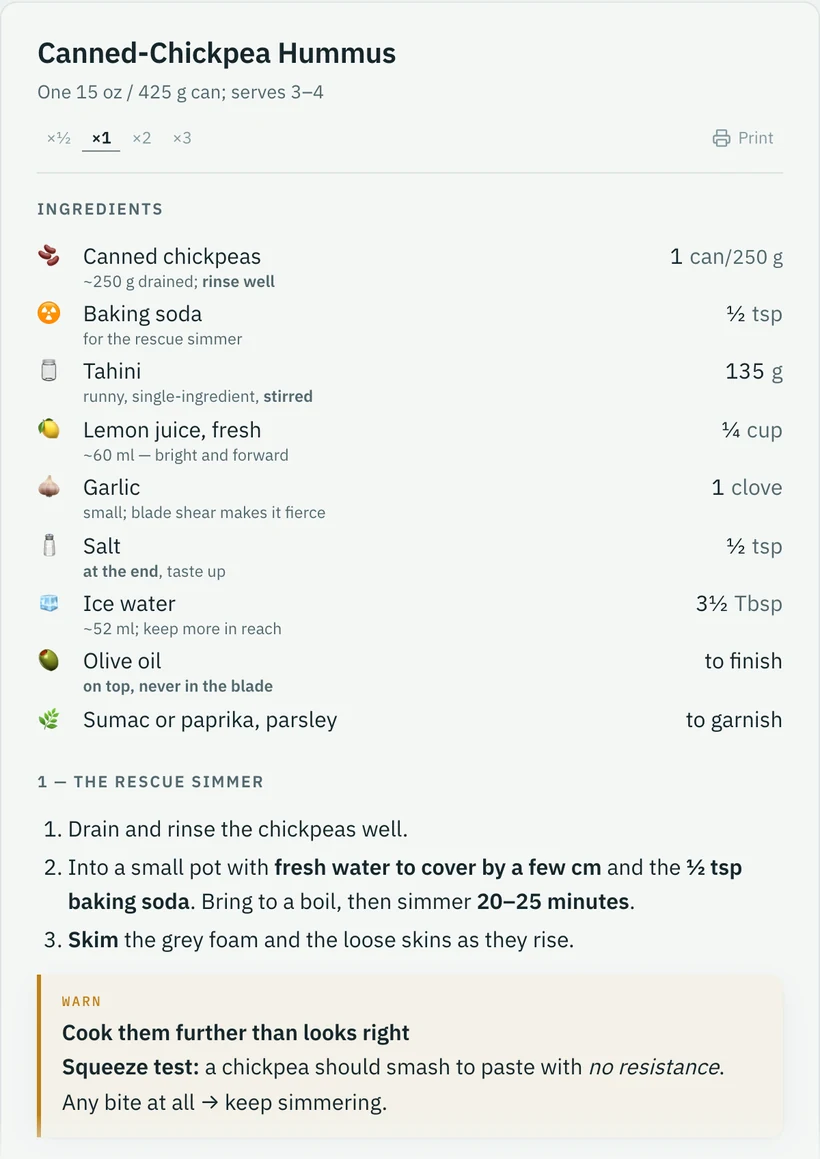
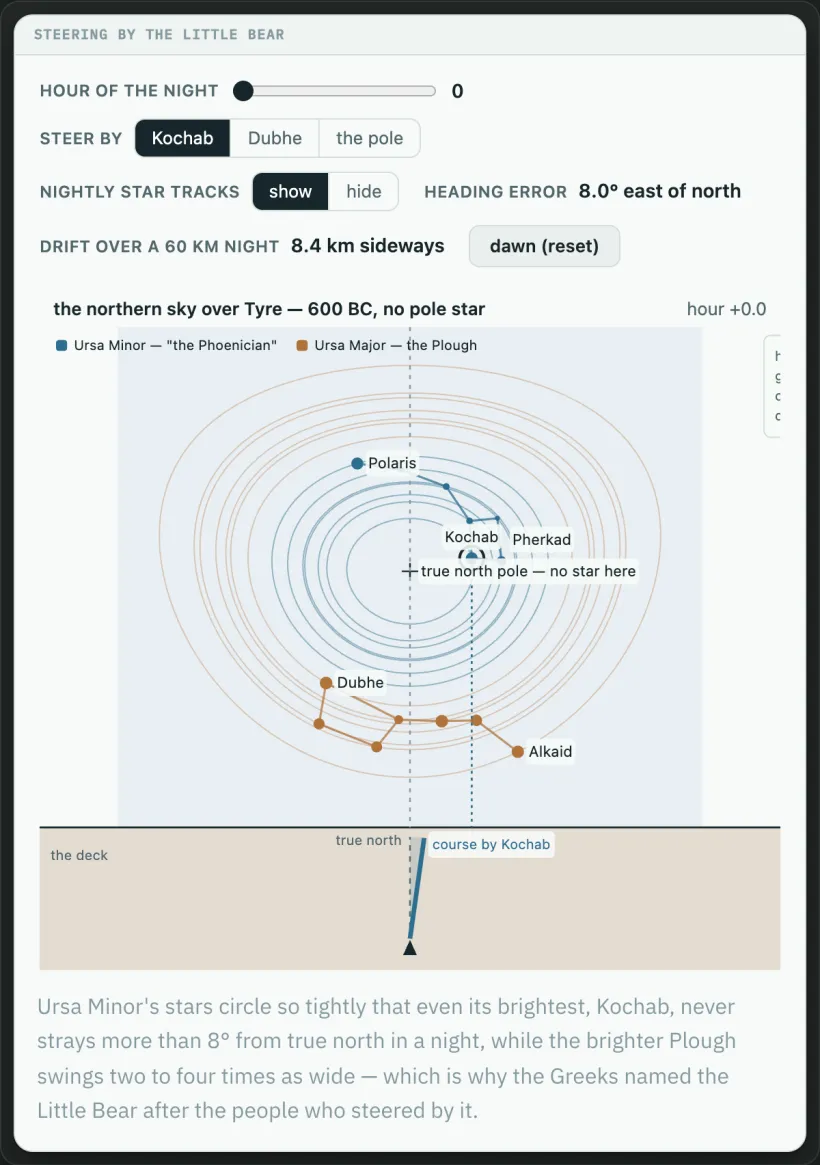
A few figures from real journeys. Each one was written for a single lesson, and each one moves.
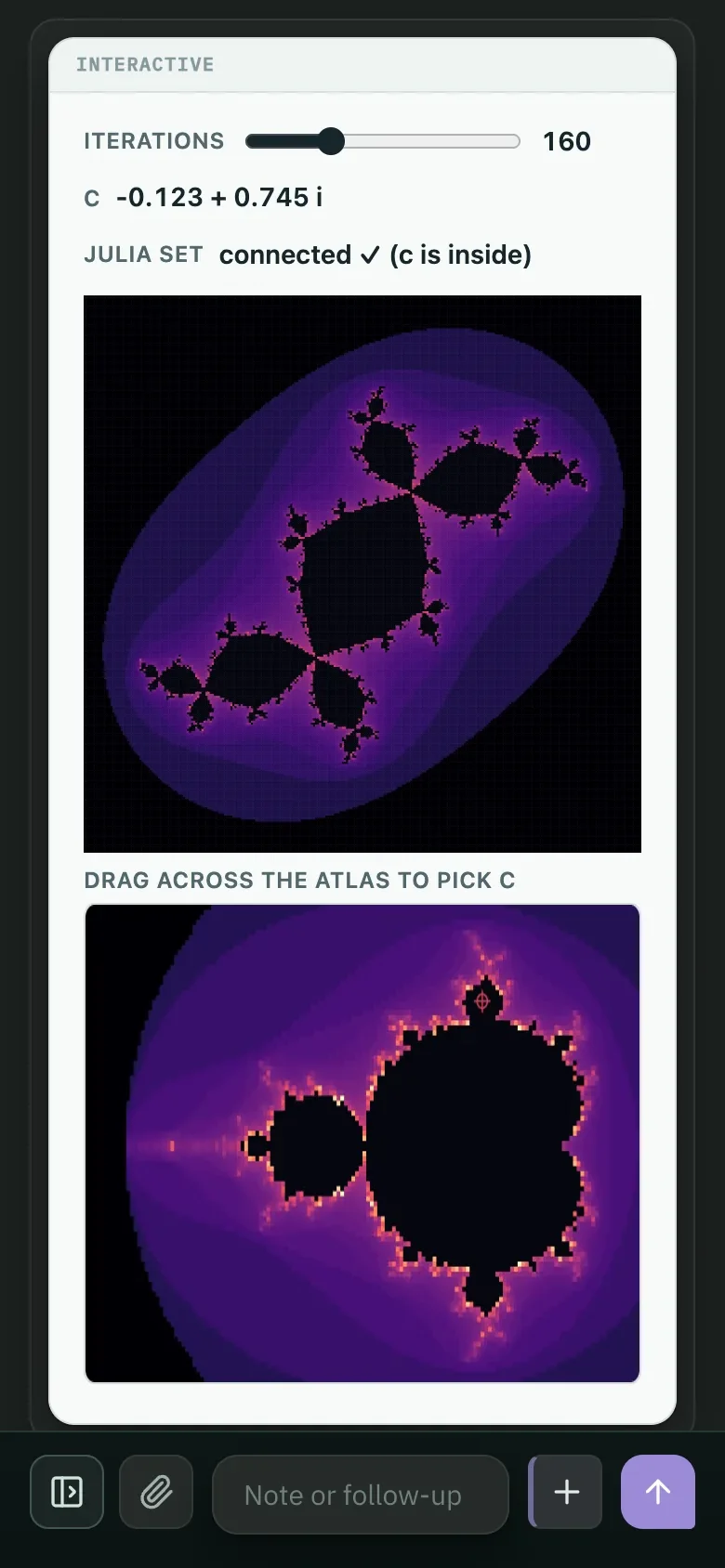
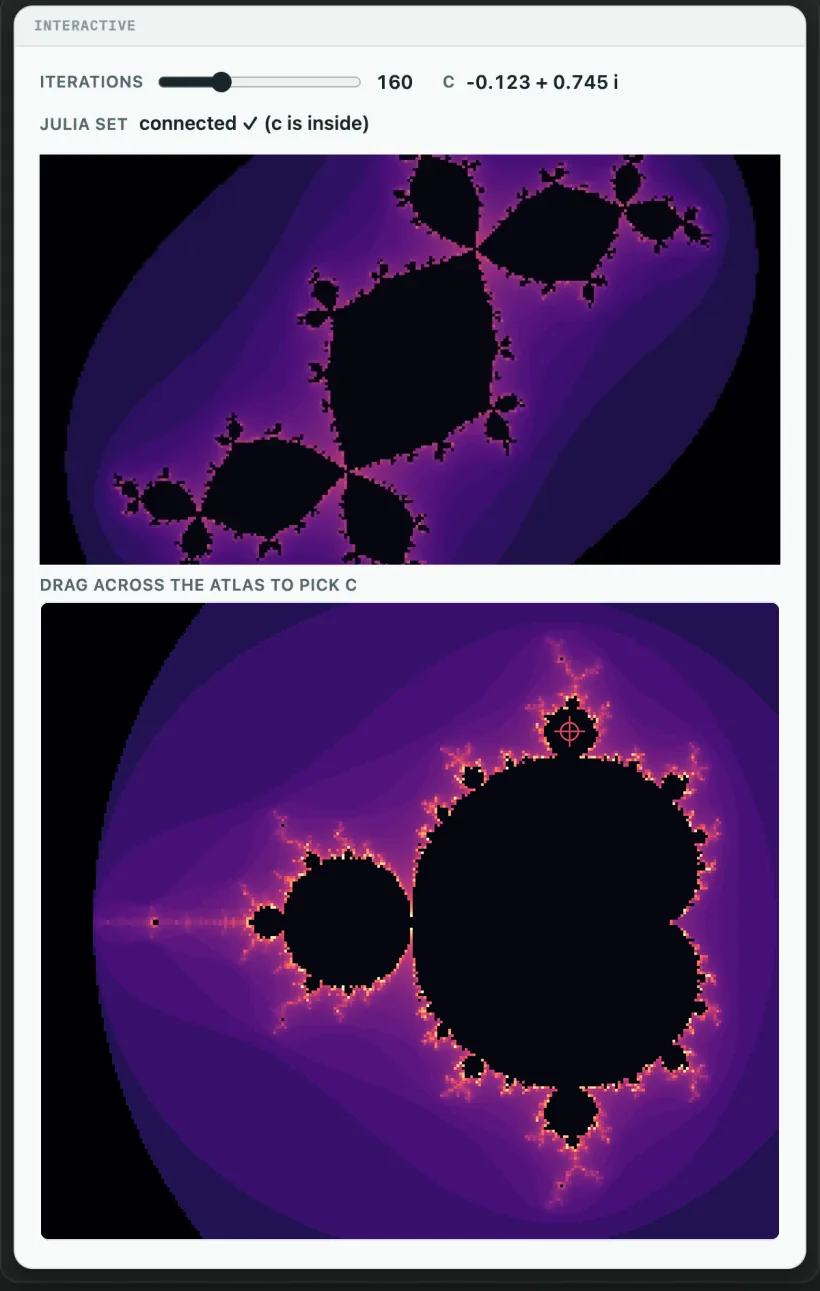
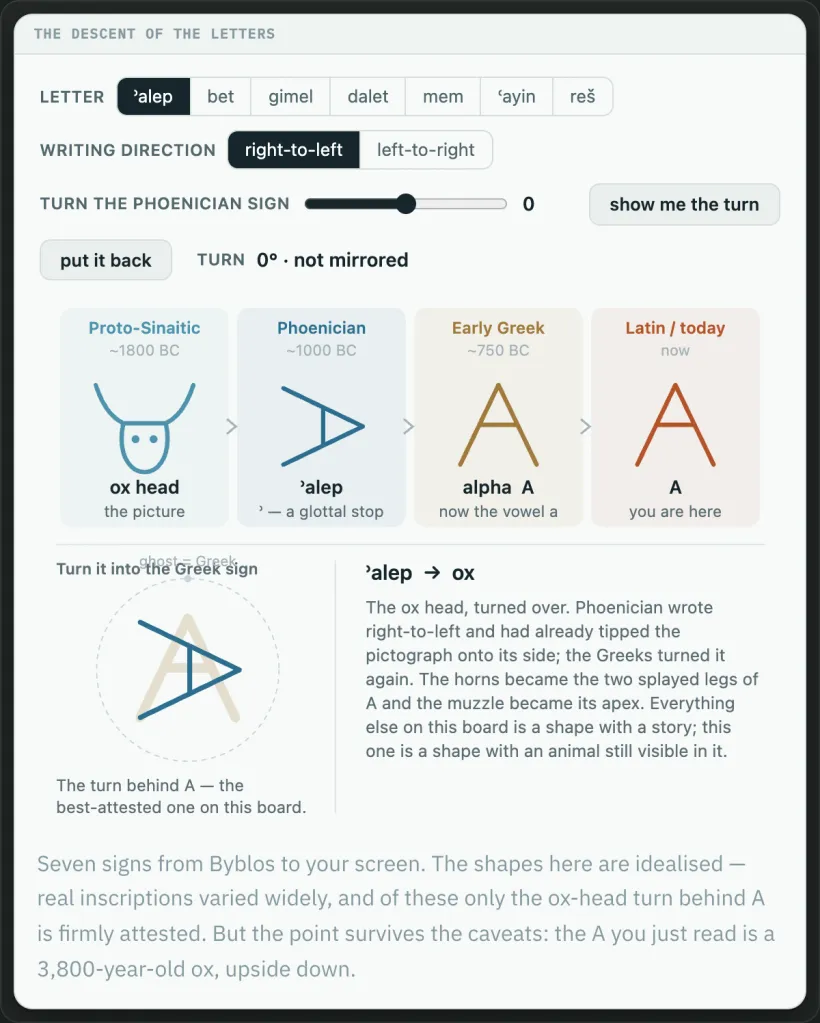
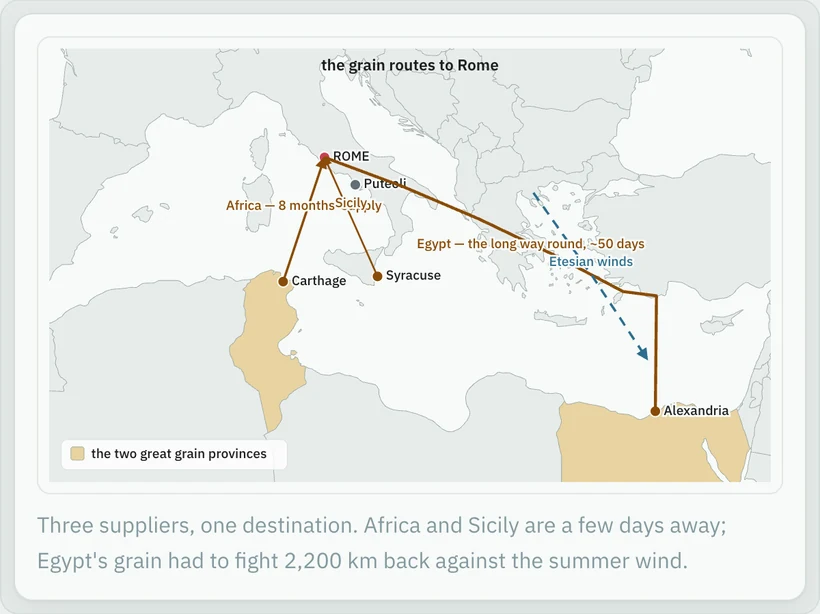
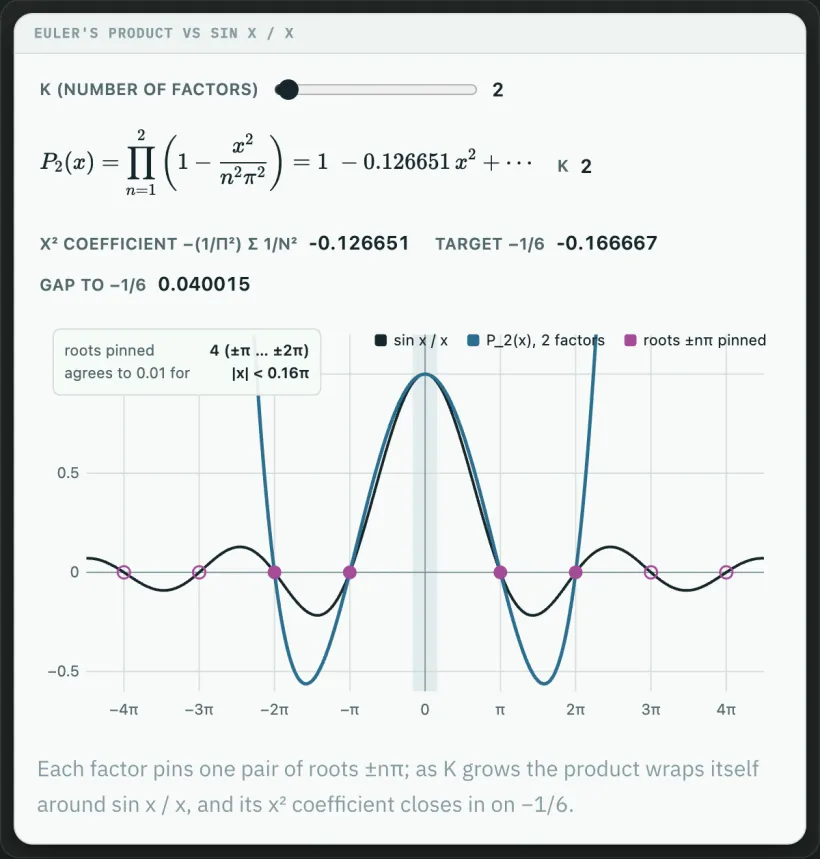
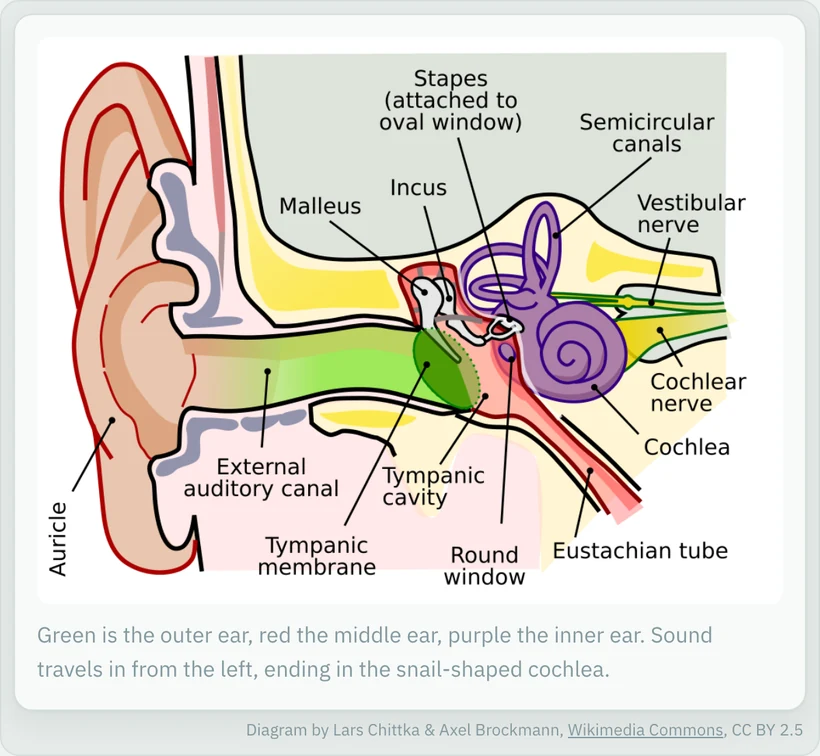
Julia-set explorerDrag across the Mandelbrot atlas to pick c.The descent of the lettersOx head, to aleph, to alpha, to A.Why there are seasonsEarth's tilt around its orbit, in 3D.Crambin, foldedA real backbone from PDB 1CRN, one residue at a time.Canned-chickpea hummusA recipe you can scale up or down, and print for the counter.Steering by the Little BearThe night sky over Tyre, 600 BC.Rome's grain routesAfrica, Sicily and Egypt, and the long way round.Euler's productA slider over K factors, closing in on sin x / x.How a swarm commitsDeliberating, quorum, airborne.The ear, labelledAn annotated image, with its attribution.
Take every tangent.tangent.tangent. Never lose the thread.
Sidebar conversations
Wander off the trail, then come back.
Curiosity doesn't follow an outline. Pedagogue lets you chase the question that just occurred to you without derailing the lesson you're in.
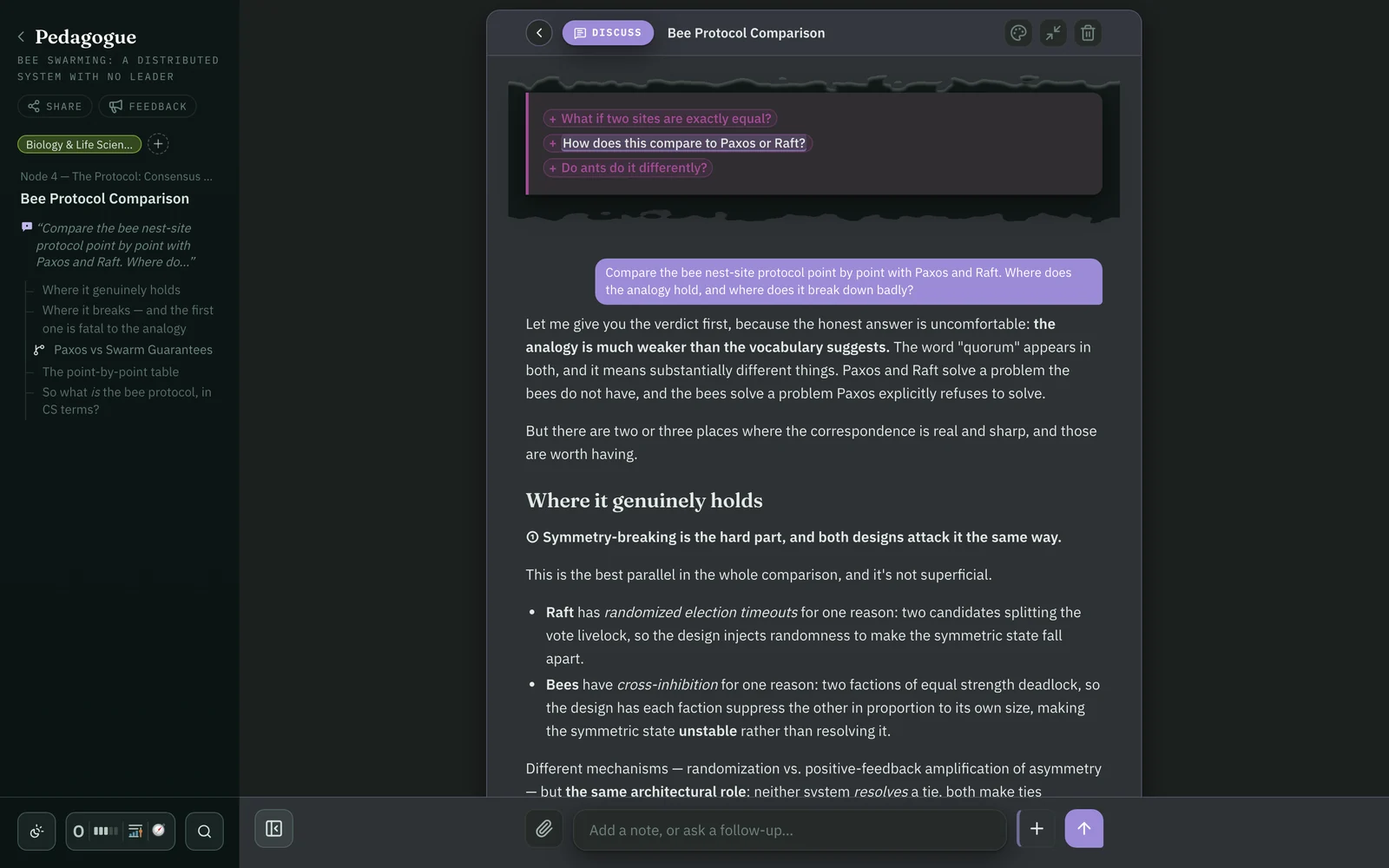
Select any phrase.
A small toolbar lets you Highlight, Define or Discuss.
Step off the trail.
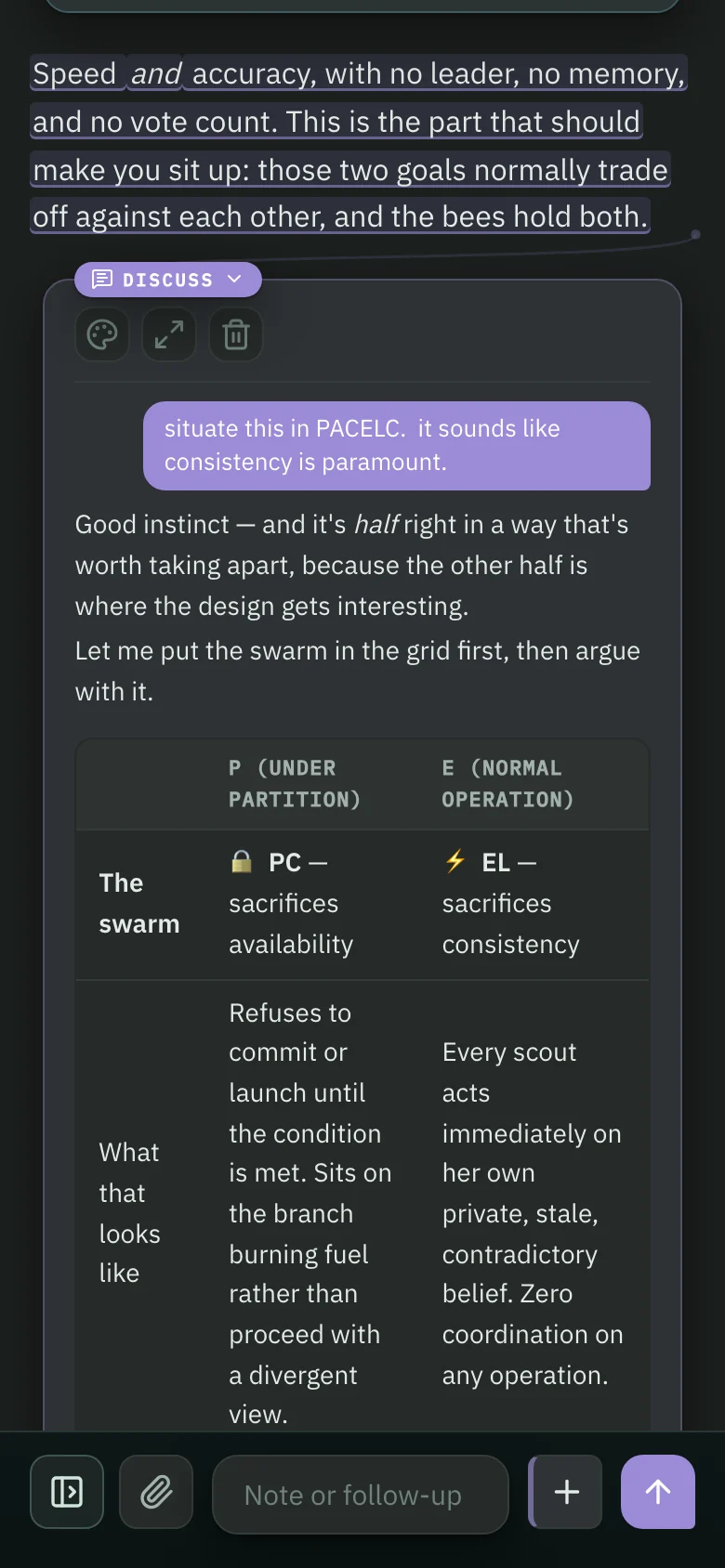
Define gives a short, exact definition. Discuss opens a side conversation about that passage.
Each answer gets a card.
Tethered to the words you chose, with room for follow-up questions.
Then step back on.
The lesson waits exactly where you left it.
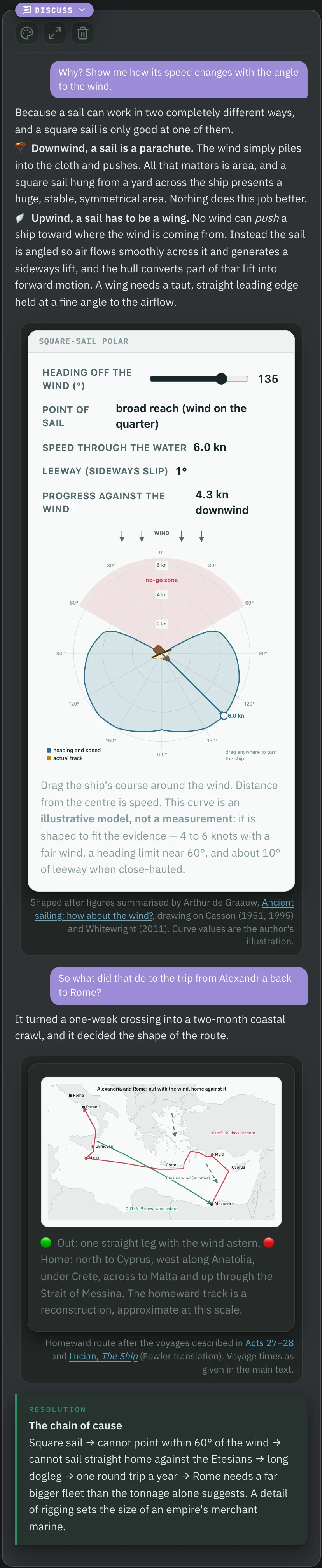
When Vespasian bid for the throne in 69 AD, one of his first moves was to seize Egypt and choke off its grain — a threat that worked precisely because it was only part of the supply, and so credible without being suicidal.
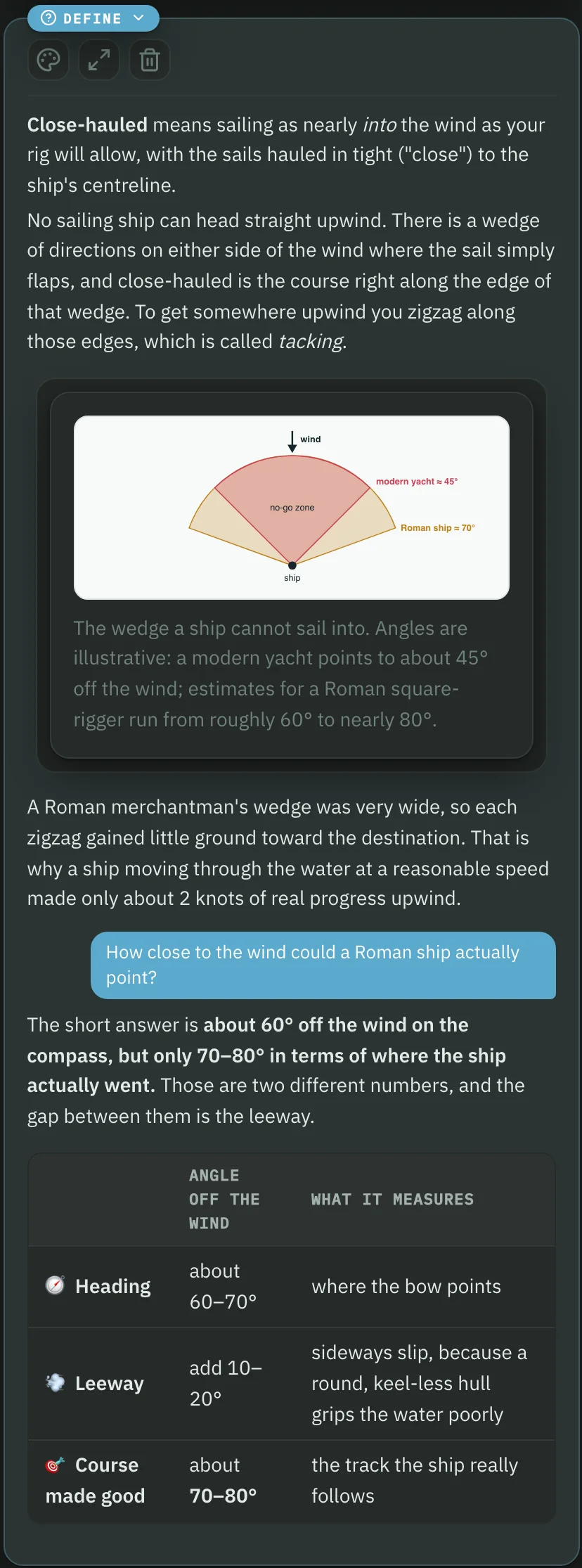
Here is the constraint that shaped everything else. A Roman merchantman carried a big square sail, and a square sail is superb with the wind behind it and nearly useless in front of it. Reconstructions and ancient voyage times agree: close-hauled, these ships made less than 2 to 2½ knots — walking pace, and that is before you subtract leeway.
All summer, the Etesian winds (the modern meltemi) blow steadily out of the north and northwest across the eastern Mediterranean.
DefineDiscuss
Cards branch off the map…
Every Define, Discuss and note is pinned to the map so you can revisit your detours later.
…can become their own journeys…
When a side question turns out to be a whole subject, open the card as its own journey, with its own map and sections, and its own cards inside it.
Pedagogue
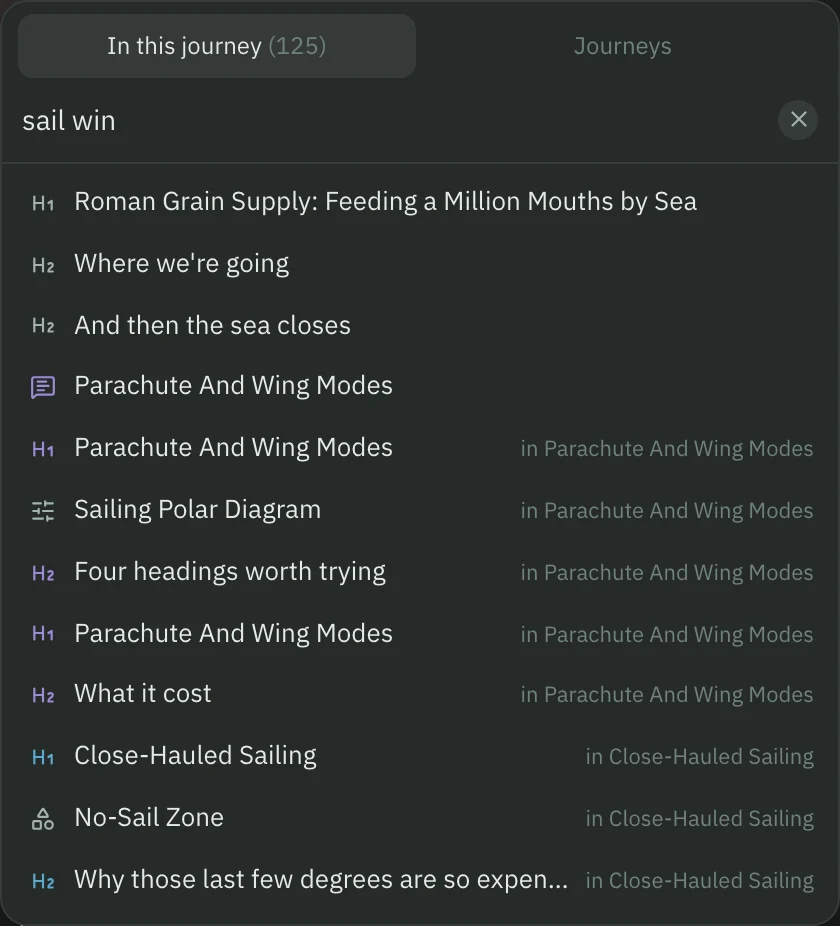
…and found again at a glance.
Find anything with built-in fuzzy search.
Around the lesson
Curate your library.
Stay organized with the Librarian, build custom learner profiles, and access Pedagogue on your phone.
Your Claude, your Mac.
Pedagogue's teacher is Claude, on the Claude plan you already have, so there's no extra subscription. It connects through Claude Code, Anthropic's tool, which Pedagogue installs for you.
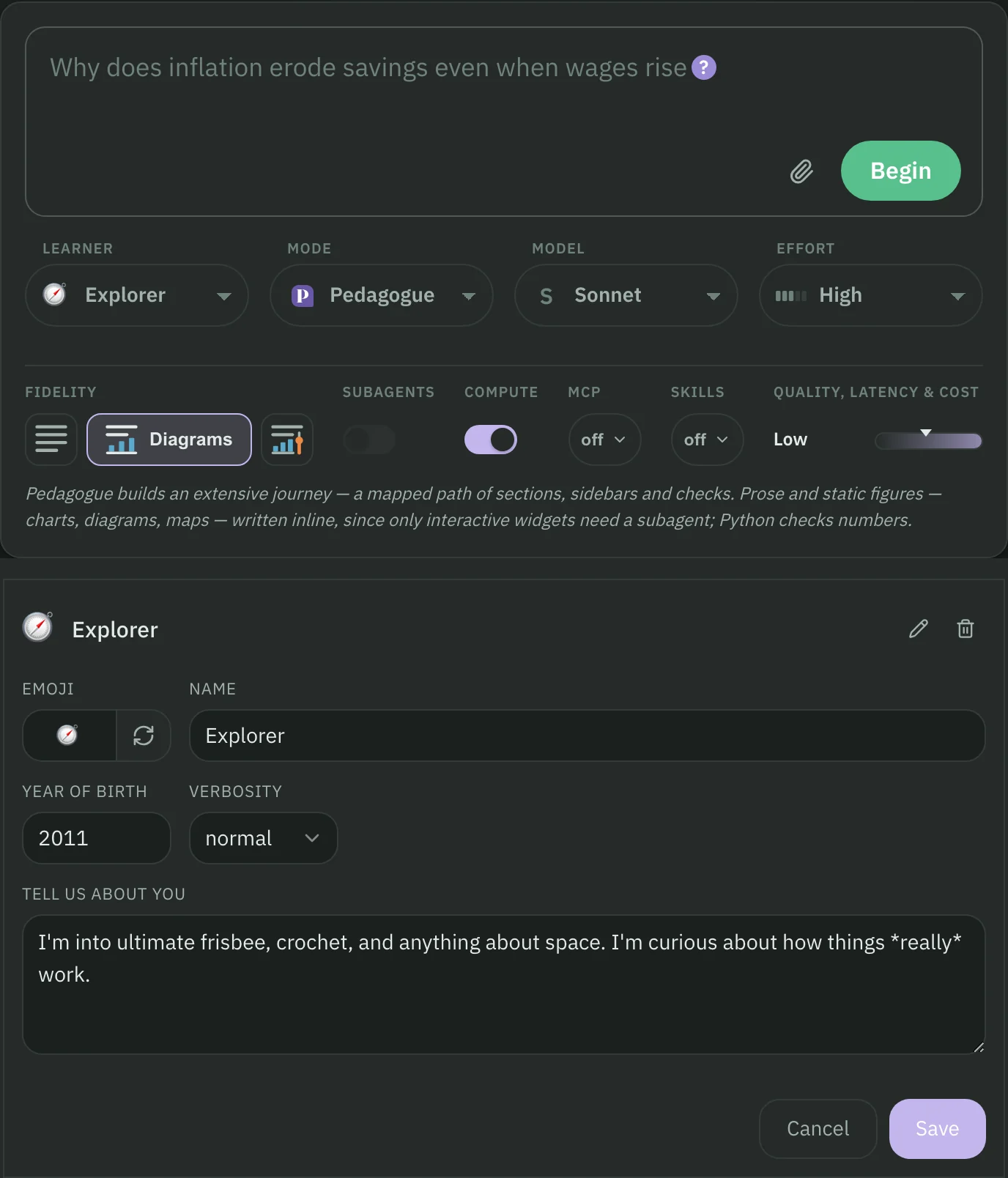
Pick the model and how hard it thinks for each journey.
OpusSonnetHaiku
LowMedHighxHighMax
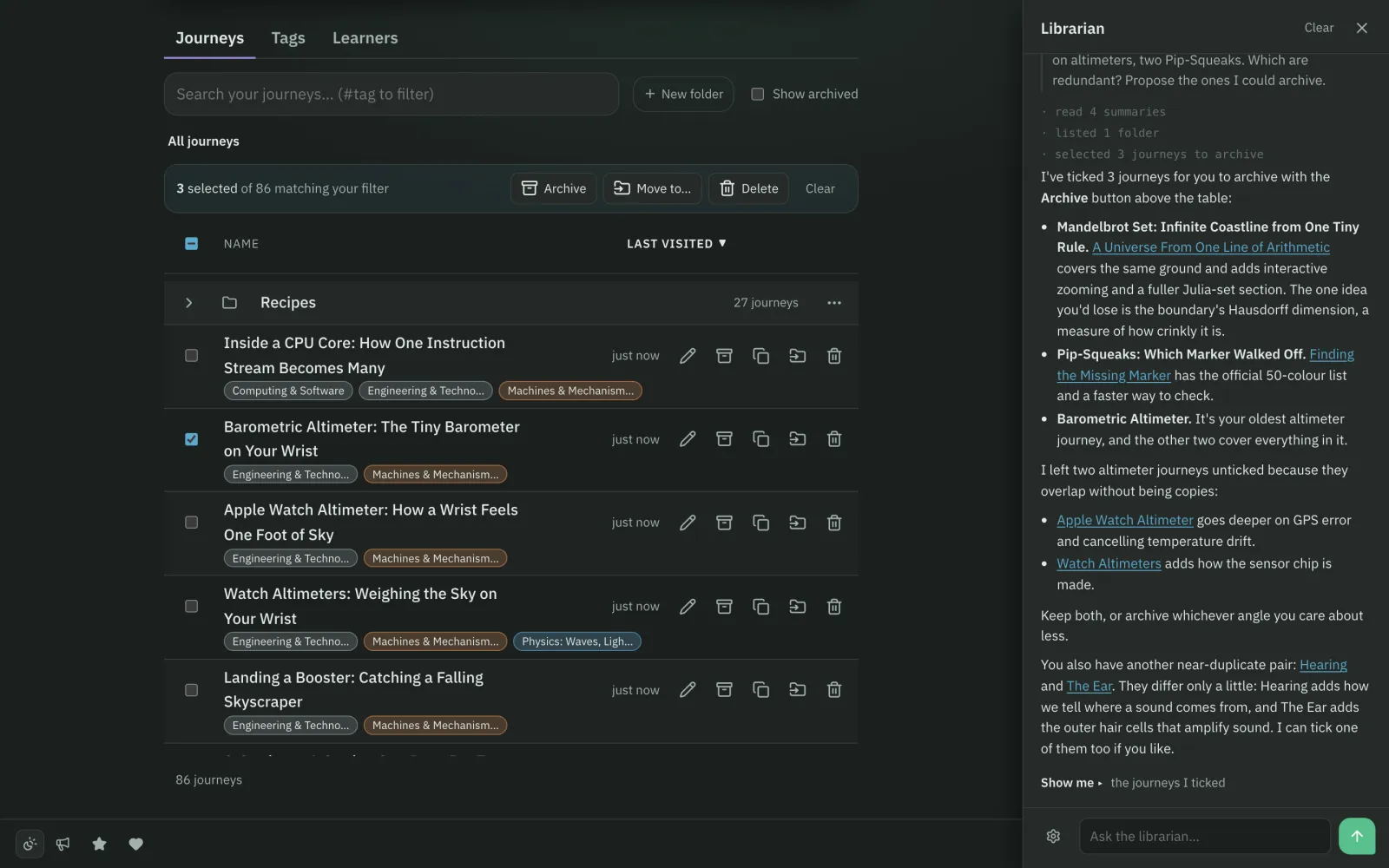
A librarian for everything you've learned.
Your journeys live in folders with tags. The librarian is a second assistant that knows your whole library, not just what's on screen. Ask it what you've been learning, or ask it to tidy up.
Searches with judgement
Summarizes journeys
Tags in bulk
Renames and files
Starts new journeys
Proposes what to archive
Pedagogue
Go deep, or just chat.
Pedagogue mode builds the full journey. Chat mode answers just what you asked, like a traditional chatbot, but can generate figures on demand and supports sidebar conversations.
Fidelity configures the content — choose from a traditional text-only experience, add static diagrams, or push all the way out to high fidelity interactive set-pieces.
Pedagogue
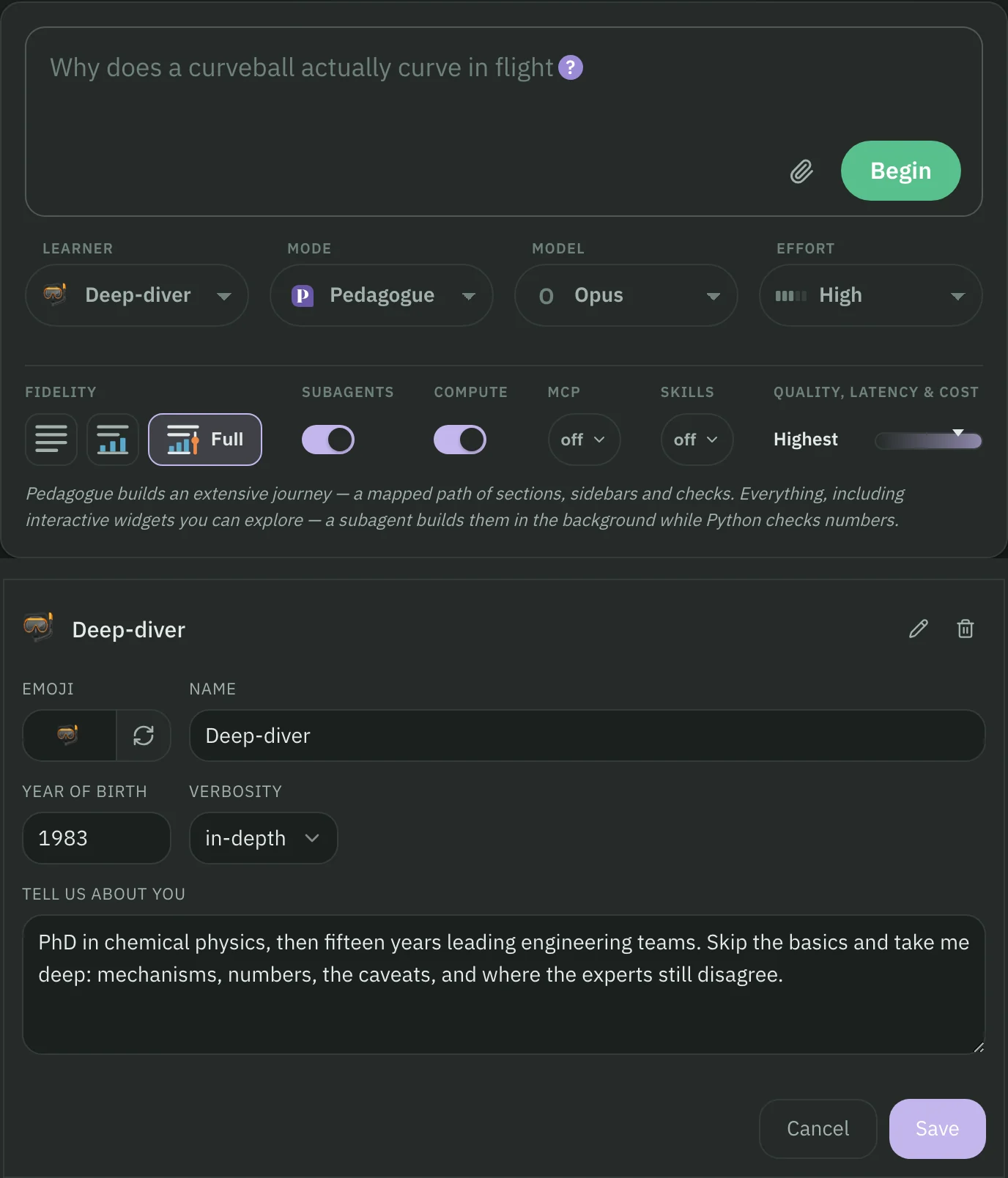
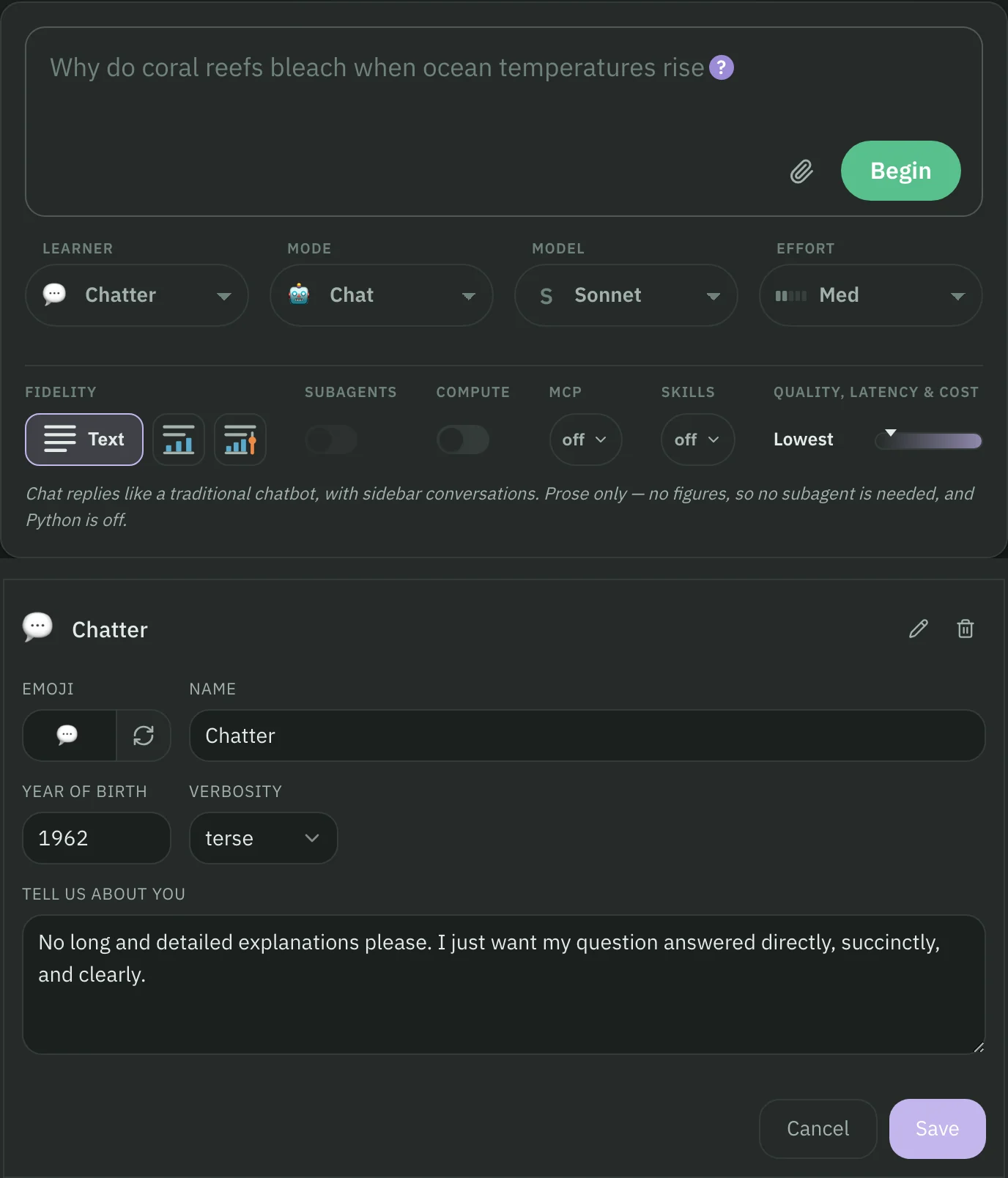
Learners, tuned to taste.
Set up as many as eight learners, then prompt each with a preferred learning style or point of emphasis. Learners remember your journey settings allowing you to quickly jump between preferred settings.
Three examples:
Keep learning from the couch.
Pedagogue runs on your Mac, where your journeys live, and your phone or tablet can reach it through Tailscale, a private network for your own devices that's free for personal use. There's no separate app: setup gives you an address and a QR code, and the whole journey comes with you, map and sidebars included.
Hand off from your other agents.
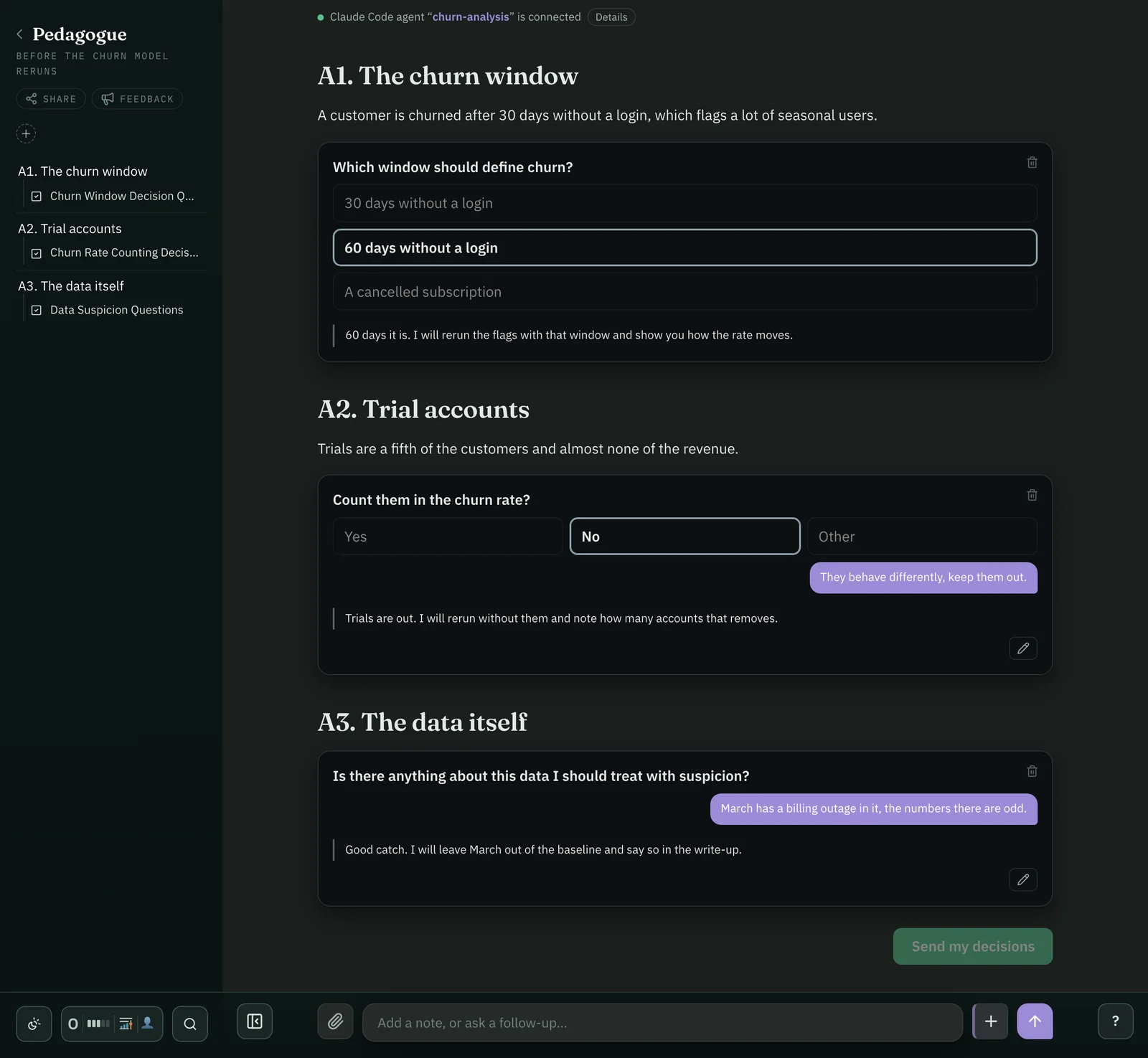
Pedagogue runs a small API on your Mac and can install skills to show Claude Code how to use it. Now an agent deep in your code or data can share its findings in a journey that you interact with in Pedagogue. It can even stay connected to the journey, allowing you to use Pedagogue’s rich interaction model to interact with Claude Code in a whole new way.
Writes journeys
Updates them later
Answers your questions in them
Asks for your decisions
Imports PDFs
Works from iOS Shortcuts
~/churn-analysis
>/create-pedagogue-journey write up what we found in the churn analysis
Wrote “Why customers churn” (6 sections, 2 figures) → open in Pedagogue
Pedagogue
Coming soon.
Pedagogue is in private beta, by invitation, on the Mac.
Have an invite? Install the beta
For Macs on macOS 14 or later, with a paid Claude plan such as Pro or Max. Pedagogue sets up the rest.
Optional extras: importing PDFs uses Mistral AI, which charges per page. Tailscale is free for personal use.
One more thing…
Dive deep into research papers.
Pedagogue's rich interaction model is perfect for reading, and really understanding research papers. Import a research paper PDF and Pedagogue sets the whole thing out as a journey: every section, figure, table and equation, with a teacher ready to answer your questions.
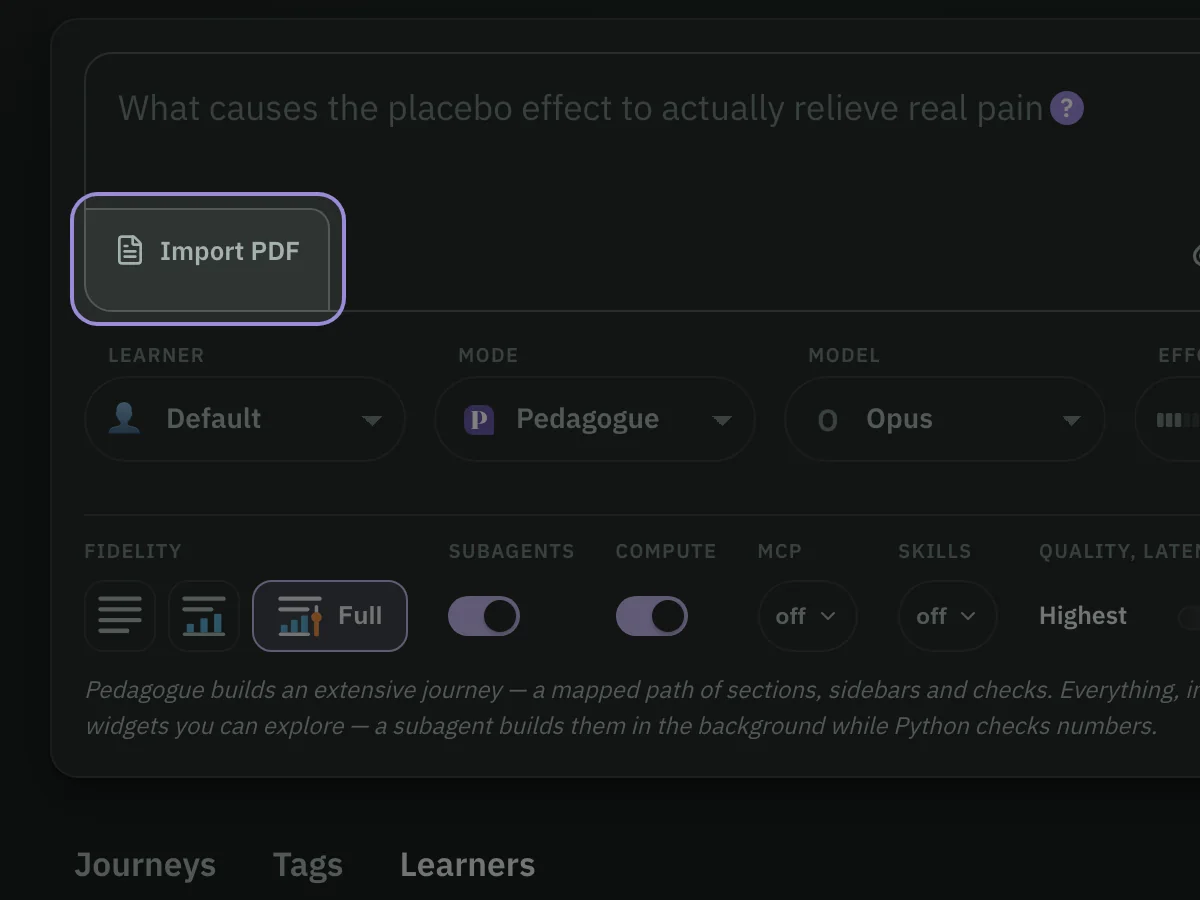
Click Import PDF in the corner of the question box, drag a PDF onto the box, or right-click one in the Finder and choose Add to Pedagogue.
Pedagogue
Start with an overview.
The teacher reads the paper first and writes a short digestible summary of its argument. Every point links to the section that makes it.
Ask about any passage.
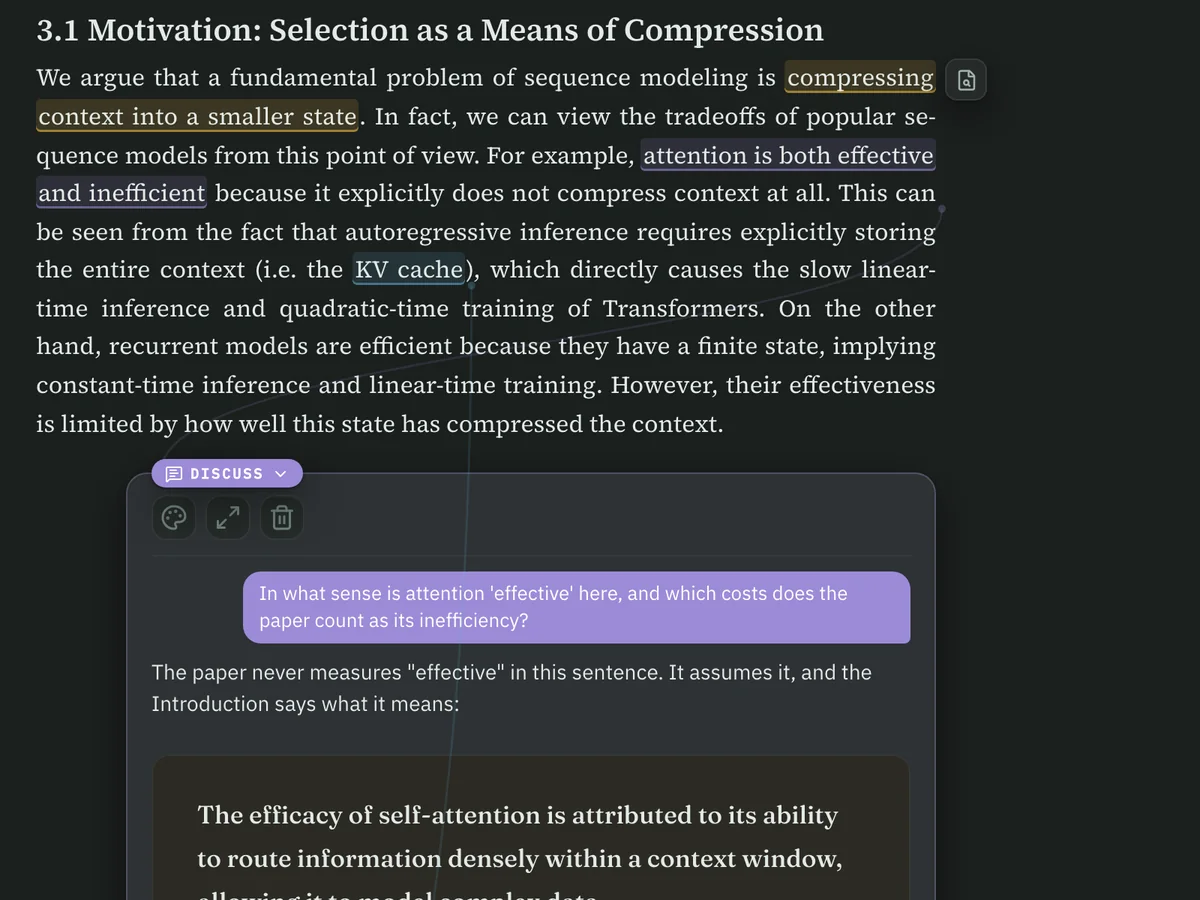
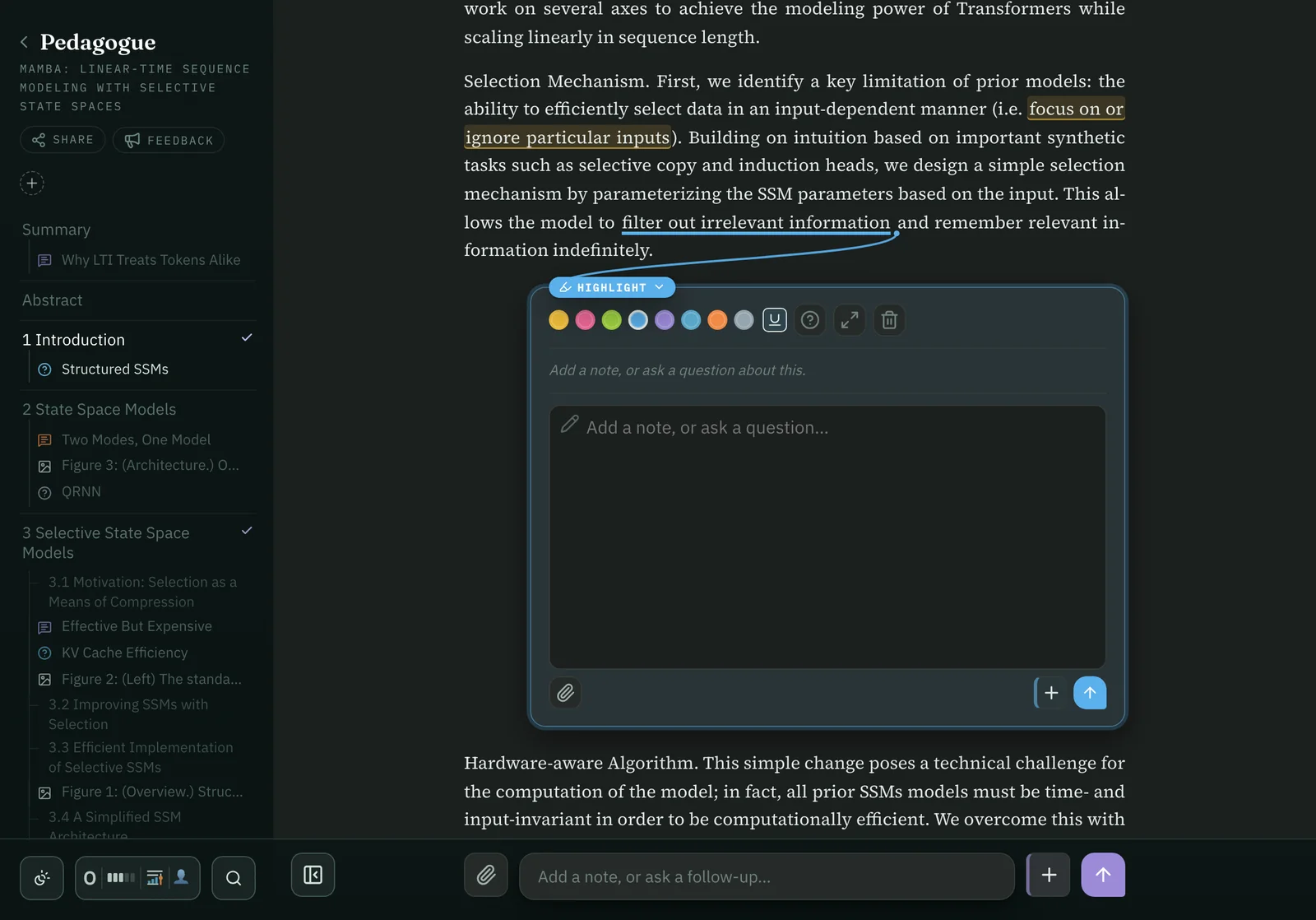
Select a phrase to highlight it, Define it or Discuss it. The answer opens in place, under the words you chose. Ask about a figure and the teacher looks at the figure itself before answering.
Never lose your place.
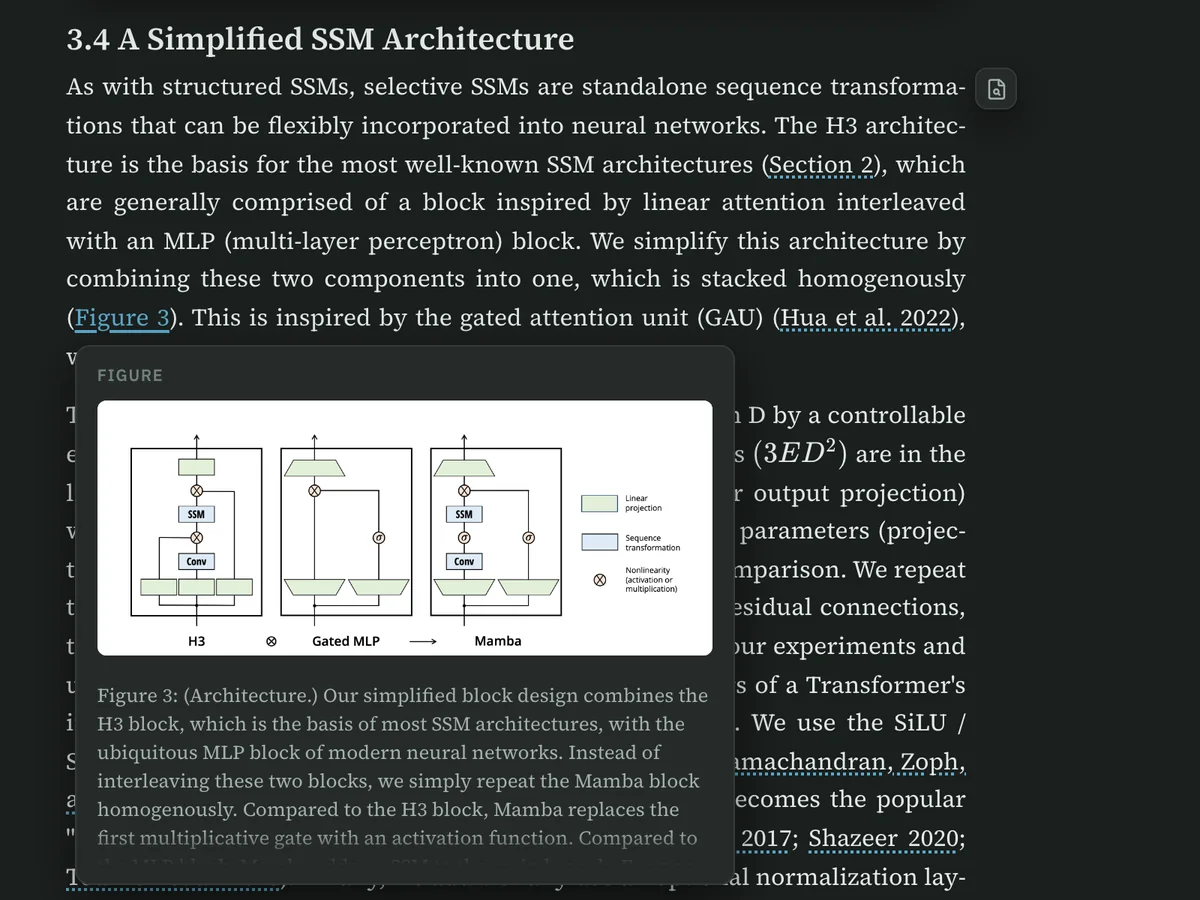
Figures and tables sit beside the paragraph that first mentions them (no more jumping between pages!). And you can hover a cross-reference or a citation to see what it points to.
Check the original.
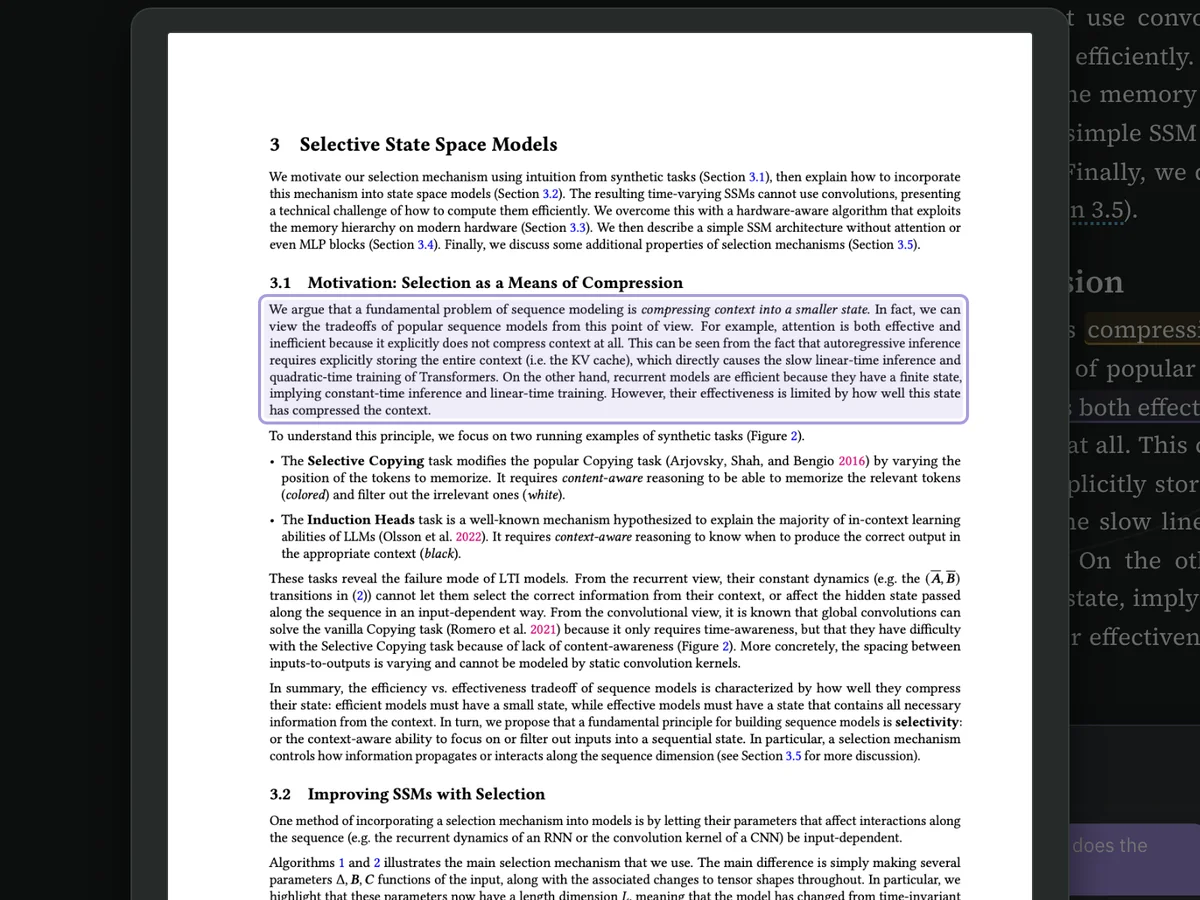
Show in PDF opens the printed page with the passage outlined, so you can always see exactly what the authors wrote.
Mark it up with a Pencil.
On an iPad, draw the Pencil across a line and the words it selects become a highlight. Its card opens with room to Scribble a note or a question by hand.
PDF imports use Mistral AI. Pedagogue sends the PDF to Mistral AI to read its text and figures. You'll need a Mistral account with a little credit, since it charges per page; a typical paper costs a few cents. Pedagogue's setup walks you through adding a key.